Introduction
In today’s digital world, email privacy is more important than ever. While Tutanota offers secure, ad-free messaging, many users are exploring Tutanota alternatives for smarter inbox management and modern features.
AI email clients, like Canary Mail, combine advanced security with productivity tools, including optional AI-powered email writing, smart filters, and multi-account support, making them a top choice among encrypted email apps.
If you’ve wondered why users switch from privacy-first email services or are comparing encrypted inbox solutions, this guide highlights the best email clients for 2026 that balance security with efficiency.
Important distinction:
- Tuta Mail is an encrypted email provider, meaning it gives you a new email address and manages encryption at the server level.
- Canary Mail is a secure email client that connects to existing email providers (Gmail, Outlook, iCloud, etc.) and adds privacy controls, PGP encryption, and optional AI-powered productivity features.
[cta-block:ctablock1,title="Switch to a Smarter, AI-Powered, Secure Email",button="Try Canary Mail Free",buttonlink="/downloads"]
What is Tuta Mail (Tutanota)?
Tutanota, now rebranded as Tuta Mail, is a privacy-focused email service designed with security and encryption at its core. It provides end-to-end encryption for emails, ensuring that only the sender and recipient can read your messages. With built-in spam protection and ad-free email services, Tuta Mail is a secure email app offering a privacy-first alternative to mainstream email providers.
Many users appreciate this service for its strong focus on privacy, sustainable operations, and ad-free experience. Its emphasis on encryption and simplicity has earned it a reputation as a reliable option among encrypted email apps.
💡 However, if you’re reading this article, it’s likely because Tuta Mail isn’t meeting all your email management needs. Perhaps you find it too basic, limited in storage, or simply want a more modern AI email app or best email client 2026 with advanced features. For users prioritizing security and efficiency, exploring the best Tutanota alternatives can help you find solutions that balance both privacy and productivity.
If so, this guide will help you discover a suitable Tuta Mail alternative, as we review the top Tutanota competitors along with their features, pros, and cons.
Why Do You Need a Tutanota Alternative?
(Hint: Efficiency ⌚️)
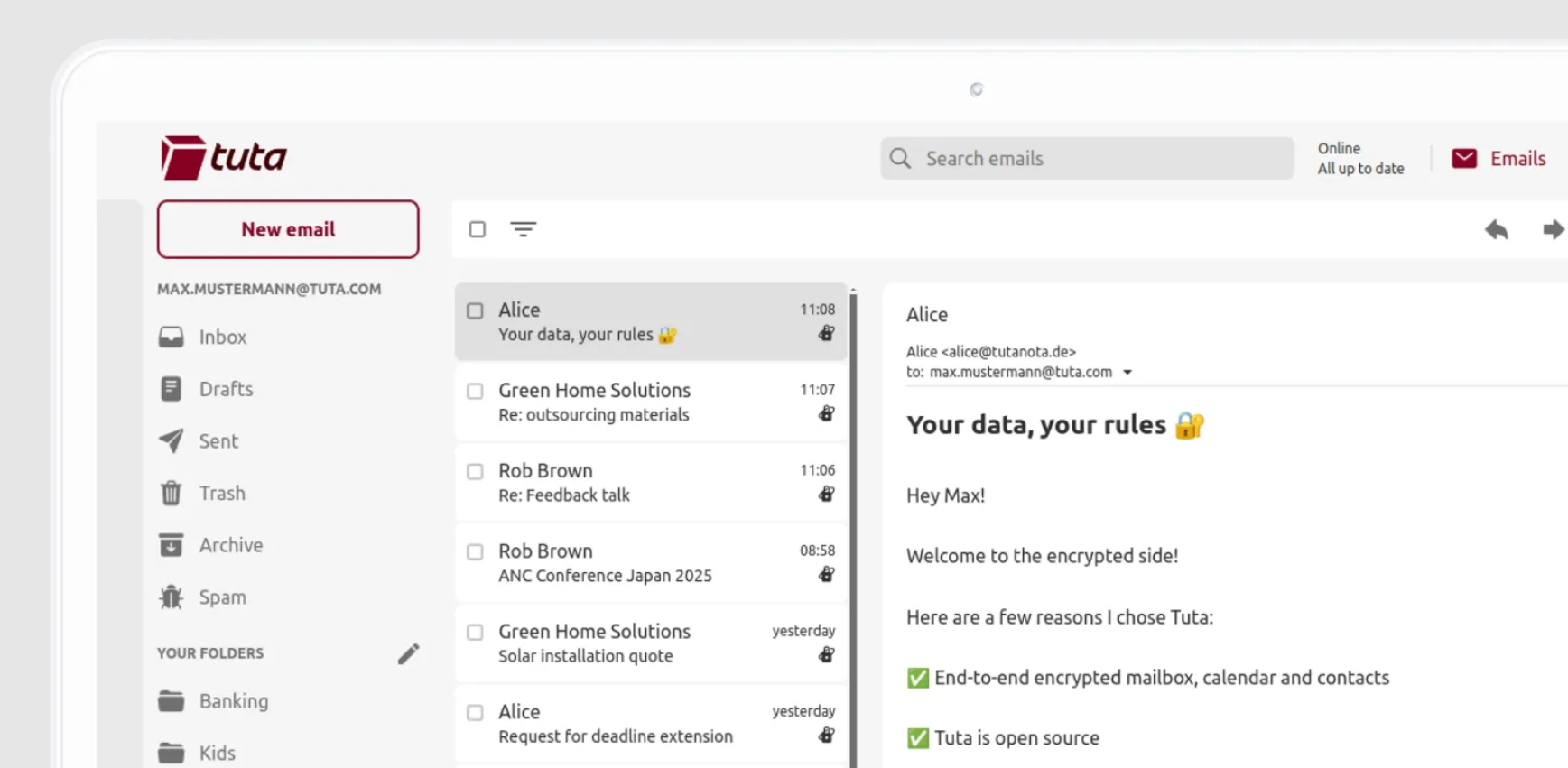
Tuta Mail, previously known as Tutanota, is a popular ad-free email service founded in 2011 in Germany with the mission of protecting email privacy and security. Its name comes from the Latin words “tuta” (secure) and “nota” (message), reflecting its focus on privacy-focused email.
Tutanota (Tuta Mail) provides end-to-end encryption and robust privacy features such as multi-factor authentication, no third-party captcha, and encrypted email subject lines. Beyond email encryption, Tuta Mail also secures your calendars and contacts for personal and business accounts, making it a trusted encrypted email app for users worldwide.
Over the years, the service has grown steadily and built a global user base. In November 2023, it rebranded to the shorter name, Tuta Mail. In this guide, we’ll use Tuta Mail and Tutanota interchangeably.
💡 While Tuta Mail is free and easy to use with a simple layout, many users find it insufficient for modern email management needs. If you’re seeking better efficiency, advanced features, or more storage, exploring Tutanota alternatives is worth considering.
Here are a few reasons why users look for a Tuta Mail alternative:
- Outdated interface: Tuta Mail’s design hasn’t significantly changed over the years, making it feel slow and less intuitive compared to newer best email clients 2026.
- Basic functionality: While it offers a solid ad-free email service, Tuta Mail lacks advanced tools for smarter email management.
- Limited storage: The free plan provides only 1GB of email storage, which may not be enough for users needing more space in their inboxes.
- Workflow friction: No IMAP/SMTP access, limited integrations, and a closed ecosystem can make it harder to use Tuta Mail alongside modern productivity tools.
🛠️ Tuta Mail Features
Tuta Mail focuses on providing a secure and privacy-focused email experience. Key features include:
- Register an anonymous email account with no personal information
- Upgrade to paid plans anonymously using Bitcoin, Monero, or cash payments
- Green mail with servers powered by 100% renewable energy
- 1 GB of email storage
- Custom email domain (on paid plans)
- Up to 15 Tuta email aliases (on paid plans)
- Encrypted calendars
- Supports non-profits, free speech, and strong privacy laws.
👍🏻 Pros:
- Apps for iOS, Android, Linux, Windows, and macOS
- A web app accessible from any browser
- Advanced security features for email, contacts, and calendars
👎🏻 Cons:
- No advanced search function
- Outdated UI/UX
- Loading time may be slow
💰 Tuta Mail Pricing
Tuta Mail offers a free forever plan for personal use. Paid plans start at €3 per month (billed annually).
💬 Tuta Mail Reviews
- Capterra Rating: 4.4/5
- G2 Rating: 4.6/5
Top 8 Tutanota Alternatives for a More Efficient Email Experience
If you’re currently using Tuta Mail as your primary email provider, you likely chose it because it’s free, ad-free, and open-source, with a strong focus on email privacy. However, many users find that it can feel too basic, slow, or limited when it comes to modern email management needs.
For users who want a more productive and secure inbox, exploring modern encrypted email apps can help you find privacy-focused services that balance both security and efficiency.
Here’s a curated list of the top 8 Tutanota alternatives for a faster, smarter, and more efficient email experience in 2026. If you’re short on time, you can also skip ahead to the comparative table at the bottom to see all features, pricing, and pros/cons at a glance.
How We Evaluated These Tutanota Alternatives
To ensure accuracy and trustworthiness, we carefully evaluated each email service based on encryption standards, privacy policies, jurisdiction, feature availability, pricing transparency, platform support, and real-world usability.
Our goal is to highlight secure, privacy-focused email solutions that balance strong protection with modern productivity features, helping users in 2026 find email apps that are both efficient and private.
1. Canary Mail - Best Tutanota Alternative Overall ✅
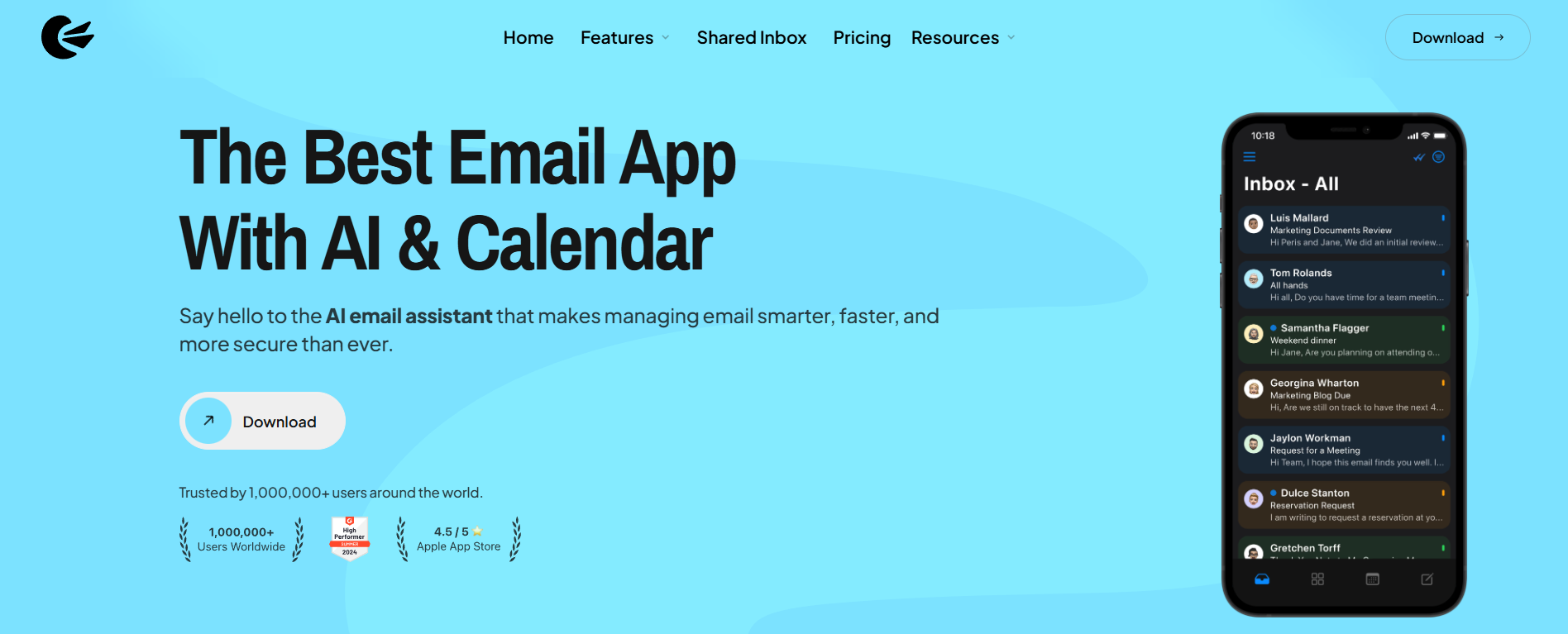
Looking for a more advanced and secure email solution? Canary Mail is one of the most powerful encrypted email apps on the market. It combines privacy-focused email services with modern features designed to improve email productivity and management, making it a top choice for users who want both security and efficiency.
Canary Mail emphasizes email privacy with both standard and advanced security features that many other email clients lack, including end-to-end encryption using PGP, along with additional security protections such as biometric app lock and impersonation detection. For users new to email encryption, this PGP encryption guide explains the fundamentals of secure email communication.
Whether you’re switching from Tutanota for Android, iOS, or desktop, Canary Mail makes the transition seamless with its multi-platform support. While it offers premium features compared to Tuta Mail, it’s an excellent choice for users seeking a privacy-focused, AI email app with advanced productivity tools.
Unlike Tuta Mail, Canary Mail does not replace your email provider. Instead, it gives you a secure, encrypted, AI-powered inbox on top of Gmail, Outlook, iCloud, and other providers.
🛠️ Canary Mail Features
Canary Mail helps you stay organized and productive across all your email accounts, thanks to its unique features:
- Optional AI-based features, including an AI email writer
- One-click unsubscribes
- Push notifications for important emails
- Email snooze option
- Read receipts
- Compatible with all major email services
- Impersonation detection
- Biometric app lock
👍🏻 Pros:
- Optional AI-powered tools for smarter email writing and management, showing how AI email apps are transforming workflows
- Robust security features like PGP and end-to-end encryption
- Modern and intuitive interface
- 28-day free trial
👎🏻 Cons:
- May take time to learn all features
- AI suggestions could feel intrusive for some users
💰 Canary Mail Pricing
Canary Mail offers a free forever plan for personal use. Paid plans start at $3 per month.
💬 Canary Mail Reviews
- Capterra Rating: 4.7/5
- G2 Rating: 4.4/5
2. Proton Mail - Best for Advanced Email Security & Privacy
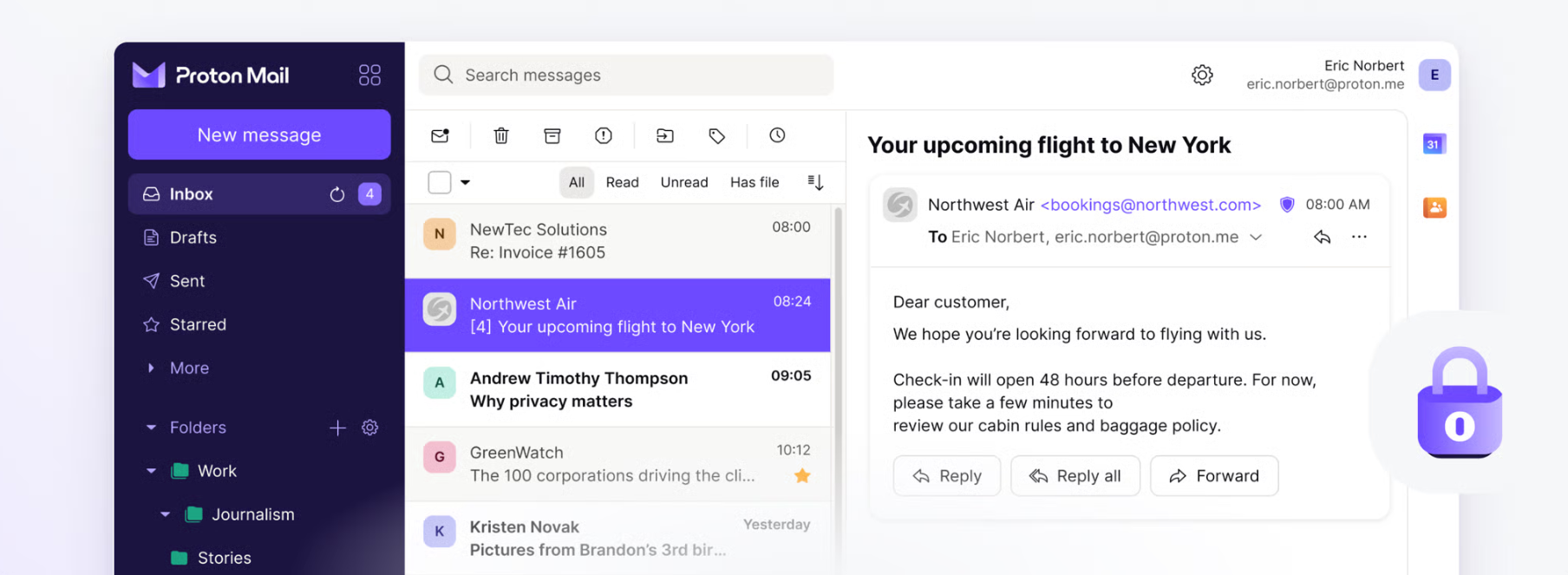
If you’re searching for a Tutanota alternative, Proton Mail is a strong choice. Based in Switzerland, Proton Mail is a privacy-focused email service that provides advanced end-to-end and zero-access encryption to keep your emails secure from cyberattacks. It’s one of the most trusted encrypted email apps for users who prioritize privacy and security.
Overall, Proton Mail is very similar to Tuta Mail in terms of core features. For those looking beyond Tuta Mail, exploring Proton Mail alternatives can help you find options with different security, storage, or productivity features. Like Tutanota, Proton Mail offers a completely ad-free email experience along with standard email management tools, including an intuitive web app, organization options, and a built-in calendar.
🛠️ Proton Mail Features
Proton Mail focuses on providing secure and privacy-focused email services, but it also offers productivity-enhancing tools:
- Intuitive web app for easy access
- Inbox customization for better email management
- Labels, filters, and folders for organized emails
- Create multiple alias email addresses
- Advanced inbox search
- Access to Proton Drive, Proton Calendar, and Proton VPN
👍🏻 Pros:
- Strong security and privacy for emails
- Mobile apps available for Android and iOS
- Integration with other Proton apps for enhanced productivity
👎🏻 Cons:
- Limited storage on the free plan
- Restrictions on the number of emails you can send
- Loading time may be slow
💰 Proton Mail Pricing
Proton Mail offers a free forever plan with limited features. Paid plans for individuals start at €3.99 per user/month (billed annually)
💬 Proton Mail Reviews
- Capterra Rating: 4.5/5
- G2 Rating: 4.4/5
3. Posteo - Best Green, Open-Source Tuta Mail Alternative
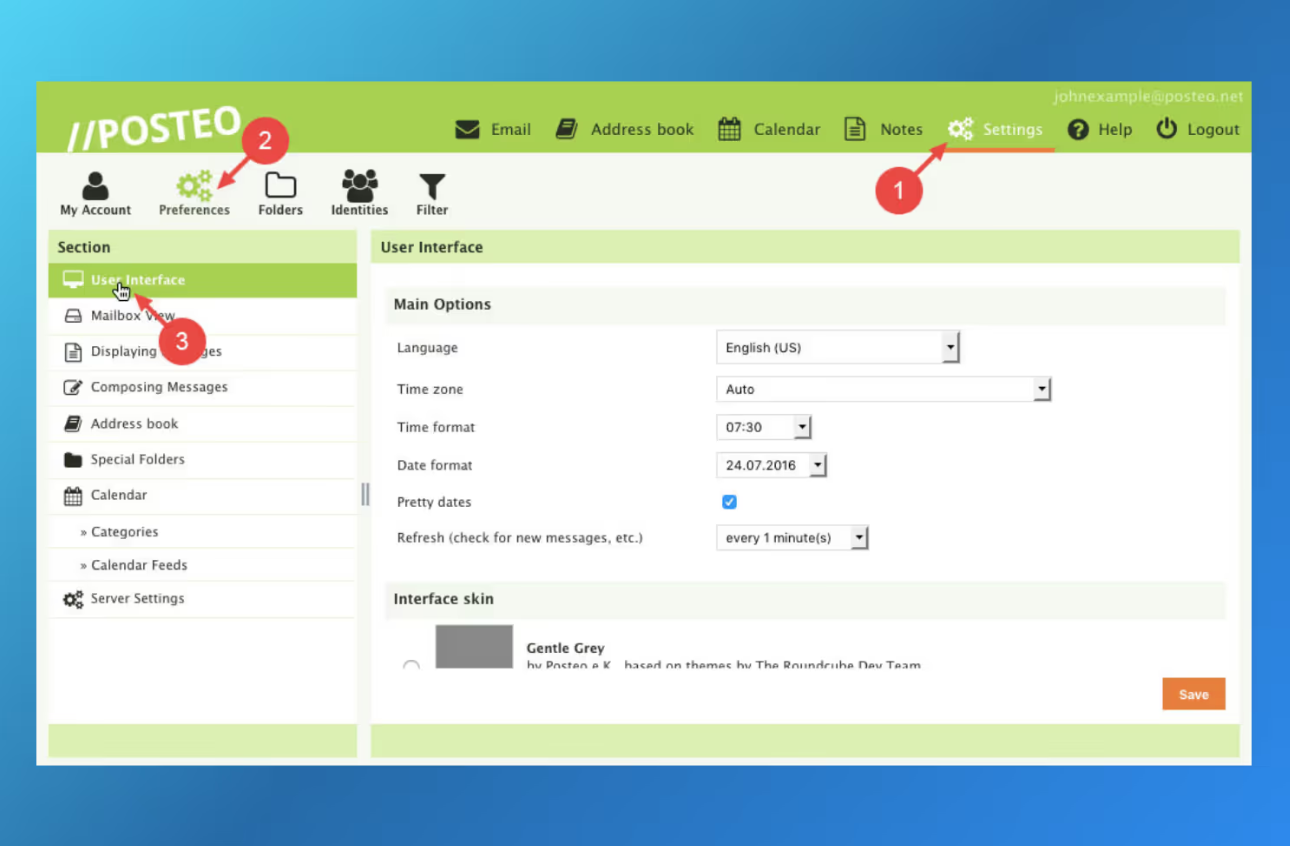
For users looking for a Tutanota alternative that’s sustainable and open-source, Posteo is an excellent choice. Based in Germany, Posteo is a privacy-focused email service offering an inbox with 2GB of storage, a built-in calendar, and an address book all in one. Its focus on email privacy, encrypted email apps, and green email practices makes it a standout option for environmentally conscious users.
Founded in 2009, Posteo has been providing ad-free email services while maintaining sustainability. This includes using appropriately sized servers to conserve resources, offering employees sustainable workplaces and transportation, and running its service completely ad-free.
🛠️ Posteo Features
While Posteo’s feature set is simple, it offers the essentials for many users seeking a privacy-focused email alternative:
- Customizable webmail interface
- 2GB of storage
- Attachments up to 100MB
- Email synchronized across all devices
- Customizable filters
- Two alias addresses included, with unlimited filter addresses
- Highly efficient spam and virus filter
👍🏻 Pros:
- Inbox, calendar, and address book included
- 100% open-source and privacy-focused
- Free personal support
- Very cost-effective
👎🏻 Cons:
- Limited storage
- Additional storage comes at a cost
- Can be too basic for users wanting advanced features
💰 Posteo Pricing
Posteo offers a subscription-based privacy-focused email service at just €1 per month.
💬 Posteo Reviews
- Capterra Rating: N/A
- G2 Rating: N/A
[cta-block:ctablock4,title="Looking for the Best Tutanota Alternatives?",button1="Explore Secure Email Services",button1link="/features/security",button2="Try Canary Mail, the AI Email App",button2link="/downloads"]
4. Gmail - Best for Email Convenience
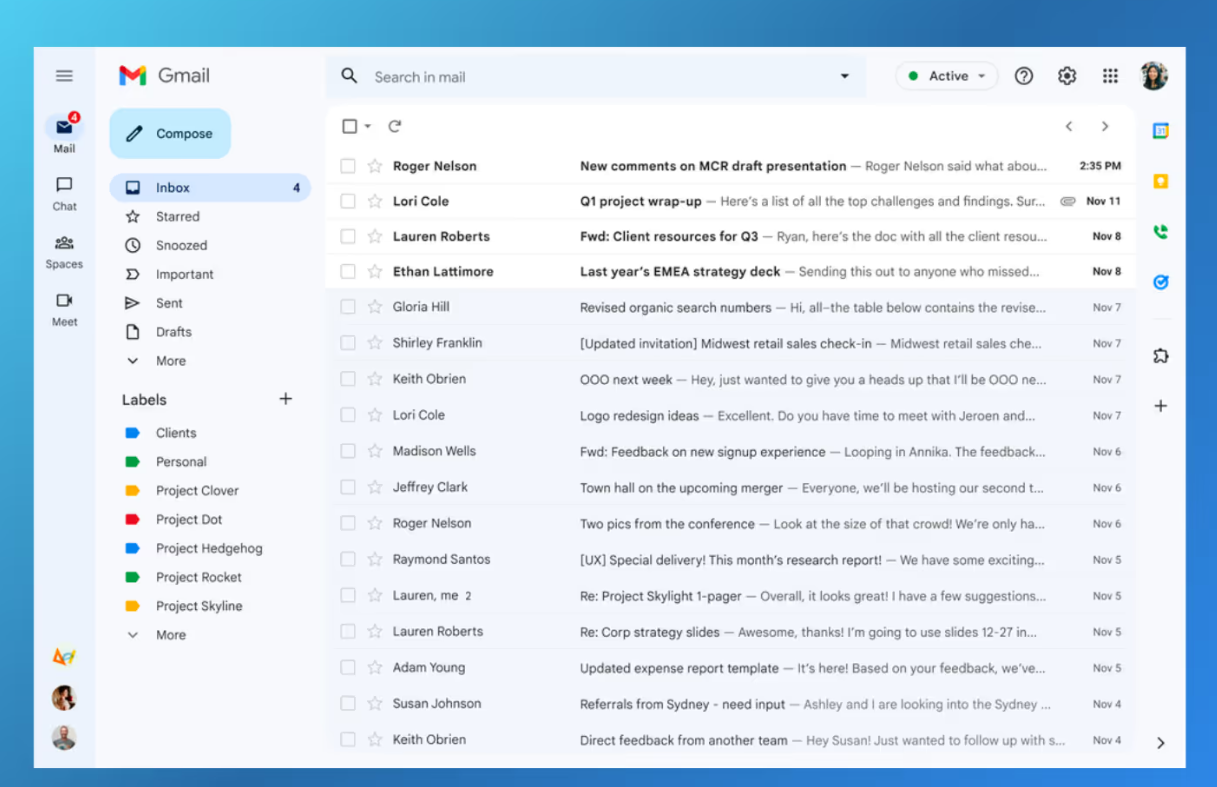
Gmail is part of Google Workspace, alongside popular Google apps like Docs, Sheets, Calendar, Meet, and Drive. For users exploring Tutanota alternatives or comparing major platforms, this Apple Mail vs Gmail comparison highlights key differences in features, usability, and ecosystem integration.
Because Gmail integrates seamlessly with Google’s ecosystem, it remains one of the most widely used email services in 2026 for streamlining daily communication across devices - desktop, mobile, and web.
While Gmail does not offer true end-to-end encryption by default, it uses strong encryption in transit and at rest, along with optional confidential mode features.
🛠️ Gmail Features
Gmail is well known for its intuitive interface, ease of use, and reliable mobile apps that make accessing your inbox simple on the go. Key features include:
- 15GB of free storage on the basic plan
- Advanced spam filtering and malware detection
- Strong phishing protection
- Confidential mode for time-limited emails
- Seamless integrations with other Google apps
👍🏻 Pros:
- Easy to set up for personal and business users
- Clean and intuitive interface
- Mobile apps for Android and iOS
- Offline email access
- Reliable spam and phishing protection
👎🏻 Cons:
- No end-to-end encryption by default
- Ongoing concerns around data collection and privacy
- Limited customization options
- Strong dependence on the Google ecosystem
💰 Gmail Pricing
Gmail is free to use, making it one of the most popular Tutanota free alternatives. For advanced features like a custom domain and business tools, a Google Workspace subscription is required, starting at $6 per user per month.
💬 Gmail Reviews
- Capterra Rating: 4.8/5
- G2 Rating: 4.6/5
5. Microsoft Outlook - Best for Microsoft Suite Users
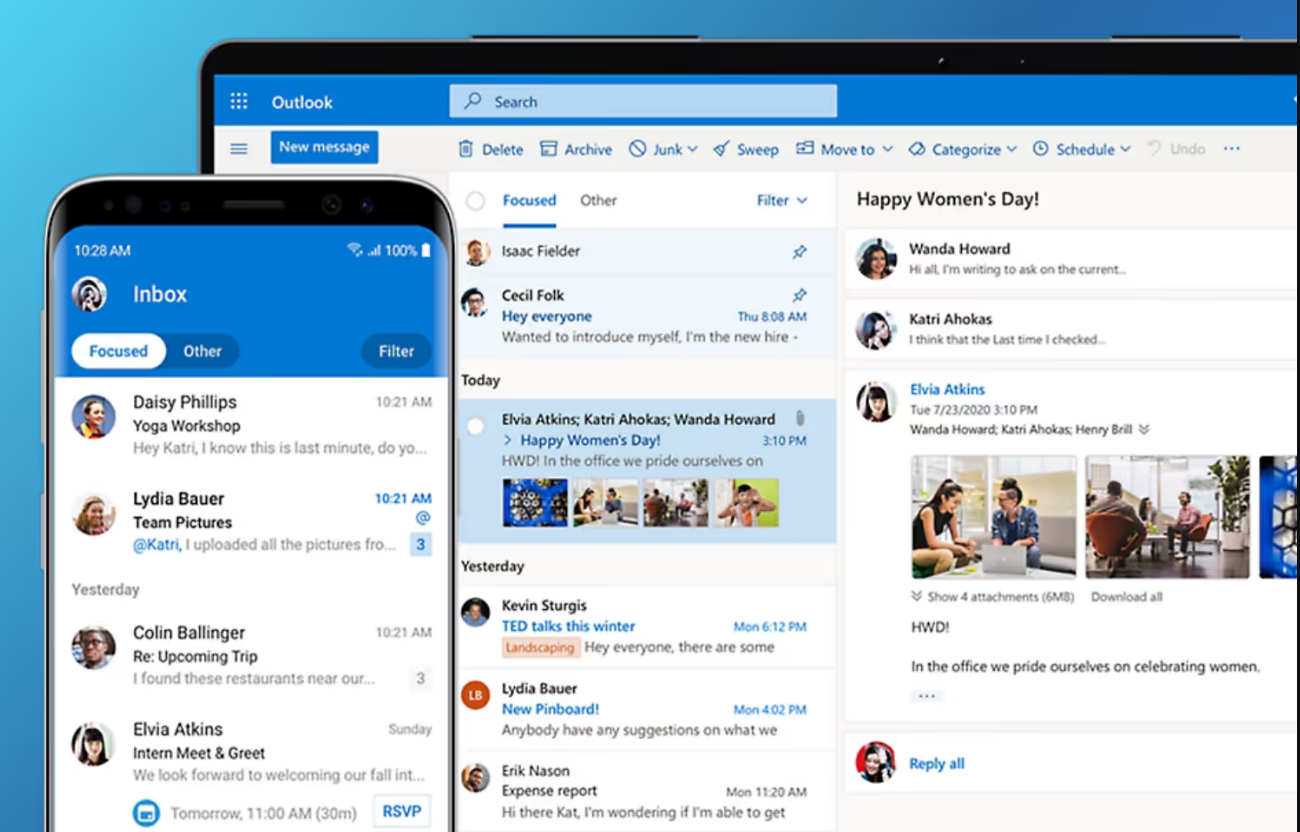
Microsoft Outlook is a free email client from Microsoft that offers a unified platform for email, calendar, and contact management, making it a complete communication solution. Thanks to its seamless integration with the Microsoft Office 365 suite, Outlook is a strong choice among Tutanota alternatives - especially for users who already rely on Microsoft tools for work or personal use.
Compared to Tuta Mail, Microsoft Outlook delivers more advanced tools for inbox organization and productivity. Features like consolidated email accounts, smart calendar alerts, and intelligent sorting help users manage emails more efficiently, making Outlook a practical Tuta Mail alternative for everyday communication.
🛠️ Outlook Features
Microsoft Outlook supports multiple email accounts and uses intelligent analytics to prioritize important messages based on your communication habits. Additional features include:
- Email scheduling
- Do Not Disturb settings
- Focused Inbox to highlight important emails
- Quick swipe controls on mobile
- Smart folders for better organization
👍🏻 Pros:
- Seamless integration with Microsoft Office 365
- Email and calendar apps available for free
- Works across Windows, macOS, web, and mobile
- Enterprise-grade security for business users
👎🏻 Cons:
- The interface may feel less intuitive compared to some modern email clients
- Search functionality can be inconsistent when locating older emails
💰 Outlook Pricing
Outlook is free to use, which makes it one of the more accessible Tutanota free alternatives. For additional storage and premium tools, Microsoft 365 plans for personal use start at $1.99/month (Microsoft 365 Basic). Business plans start at $6.00/user/month billed annually.
💬 Outlook Reviews
- Capterra Rating: 4.5/5
- G2 Rating: 4.5/5
6. FastMail - Best for Email Privacy & Speed
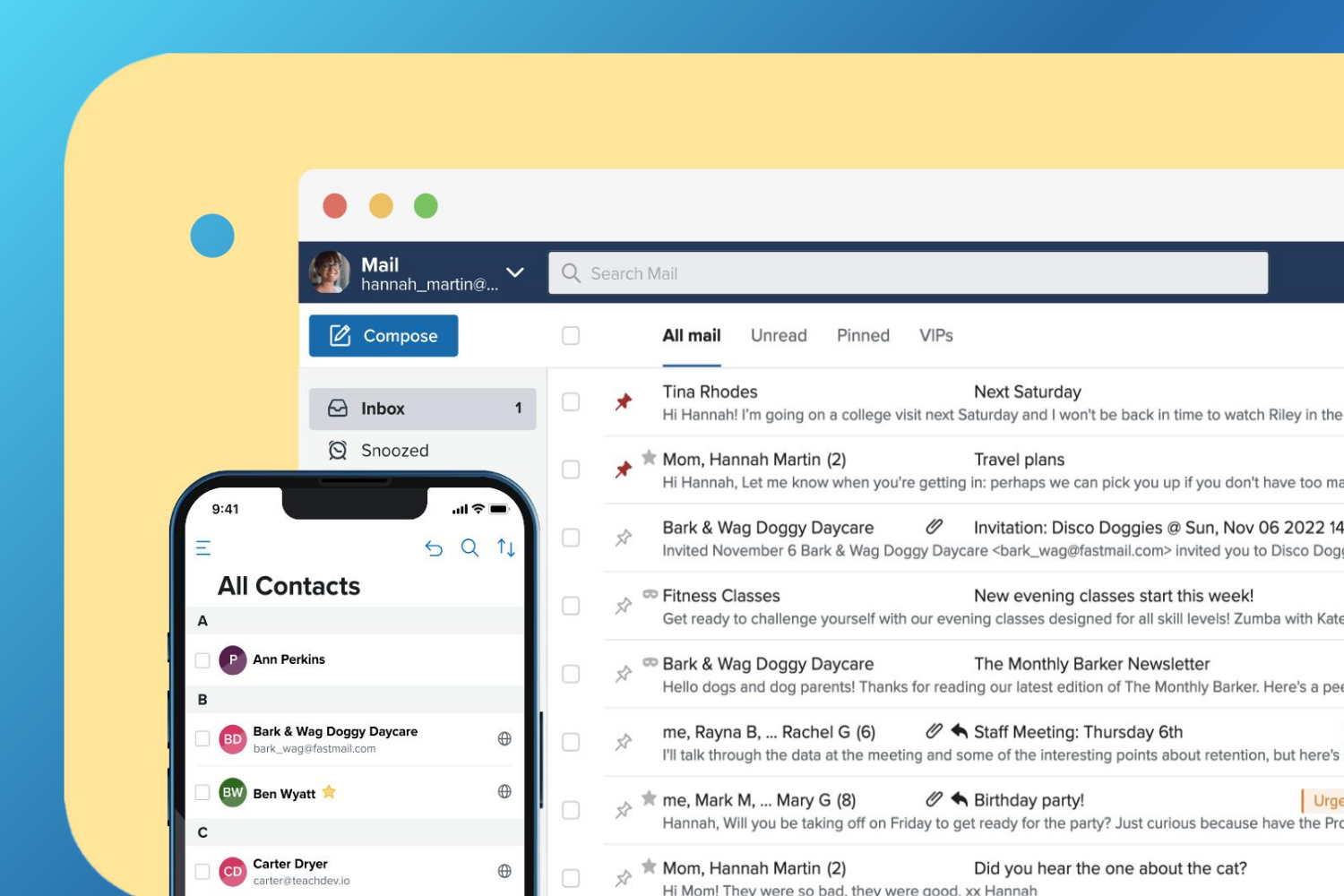
FastMail is a privacy-focused email service that provides its own secure web and mobile apps, along with support for custom domains and standard email protocols. Similar to Tuta Mail, FastMail places a strong emphasis on privacy-focused email features, including masked email addresses and customizable spam filtering. For users researching Tutanota alternatives due to privacy concerns, FastMail is often considered a dependable option.
That said, while FastMail’s security and privacy tools are solid, they don’t match the end-to-end encryption standards offered by Tuta Mail. In addition, FastMail is not a Tutanota free alternative, as it does not offer a free plan and is available only through a paid subscription.
🛠️ FastMail Features
FastMail includes built-in tools for calendars, contacts, and file management, making it a well-rounded email solution. Some of its core features include:
- Customizable inbox design
- Folders and labels to keep your inbox organized
- Inbox rules and advanced filters
- Fast and effective search functionality
- Fetch emails from your old address
- Import calendars and contacts
- Masked email for improved privacy
👍🏻 Pros:
- Email, calendar, and contacts in one place
- Strong privacy and security features
- Mobile apps available for everyday use
👎🏻 Cons:
- No free plan available
- May feel too basic for users looking for advanced or AI-powered features
💰 FastMail Pricing
FastMail is a subscription-based secure email service, with plans starting at $2.50 per user per month when billed annually.
💬 FastMail Reviews
- Capterra Rating: 4.9/5
- G2 Rating: 4.3/5
7. FairEmail - Best for Android Users
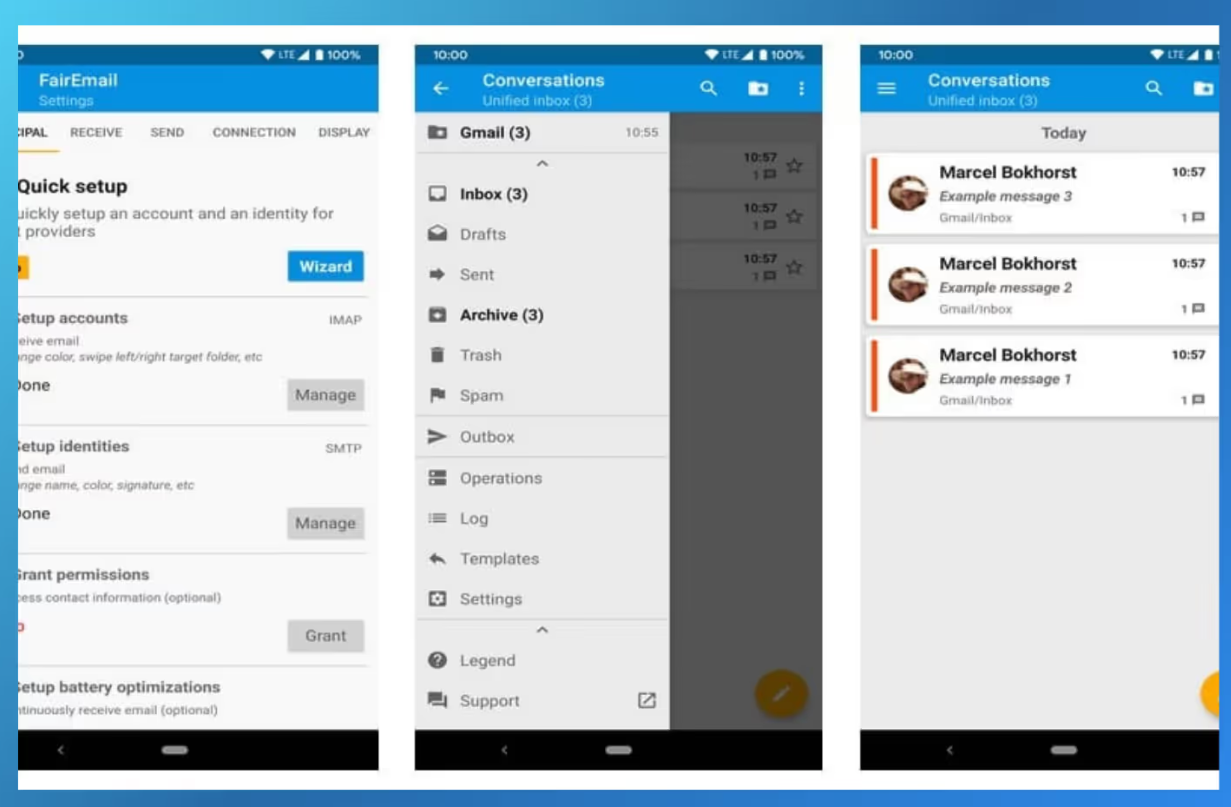
FairEmail is an open-source email app for Android that strongly prioritizes user privacy. For readers comparing Tutanota alternatives, FairEmail stands out as a lightweight and privacy-focused option for mobile users. Our guide to the best email apps for Android compares FairEmail with the other main Android options.
FairEmail allows users to manage unlimited email accounts and email addresses within a unified inbox. It places a strong emphasis on secure email services, offering features such as safe message view, an ad-free experience, and zero data tracking - making it appealing to users who value privacy-focused email apps.
Since FairEmail does not offer a web interface like Tuta Mail and is available only as an Android app, it’s best suited for users who rely exclusively on their Android phones for email access.
🛠️ FairEmail Features
FairEmail provides a solid set of core features commonly found in modern email clients, including:
- Quick setup and easy navigation
- Support for unlimited email accounts
- Unlimited email addresses
- Unified inbox for multiple accounts
- Conversation threading
- Two-way synchronization
- Offline storage and operations
- Snooze messages (Pro feature)
- Scheduled sending (Pro feature)
- Reply templates (Pro feature)
👍🏻 Pros:
- Strong focus on privacy and security
- 100% open-source
- Low data usage
- Battery-friendly performance
👎🏻 Cons:
- No web or desktop app available
- Limited to Android devices only
- Outdated interface
- May feel too basic for users looking for advanced or AI-powered email features
💰 FairEmail Pricing
FairEmail is completely free to use, making it one of the most accessible Tutanota free alternatives for Android users.
💬 FairEmail Reviews
- Capterra Rating: N/A
- G2 Rating: N/A
8. Yandex Mail - Best for Spam Protection
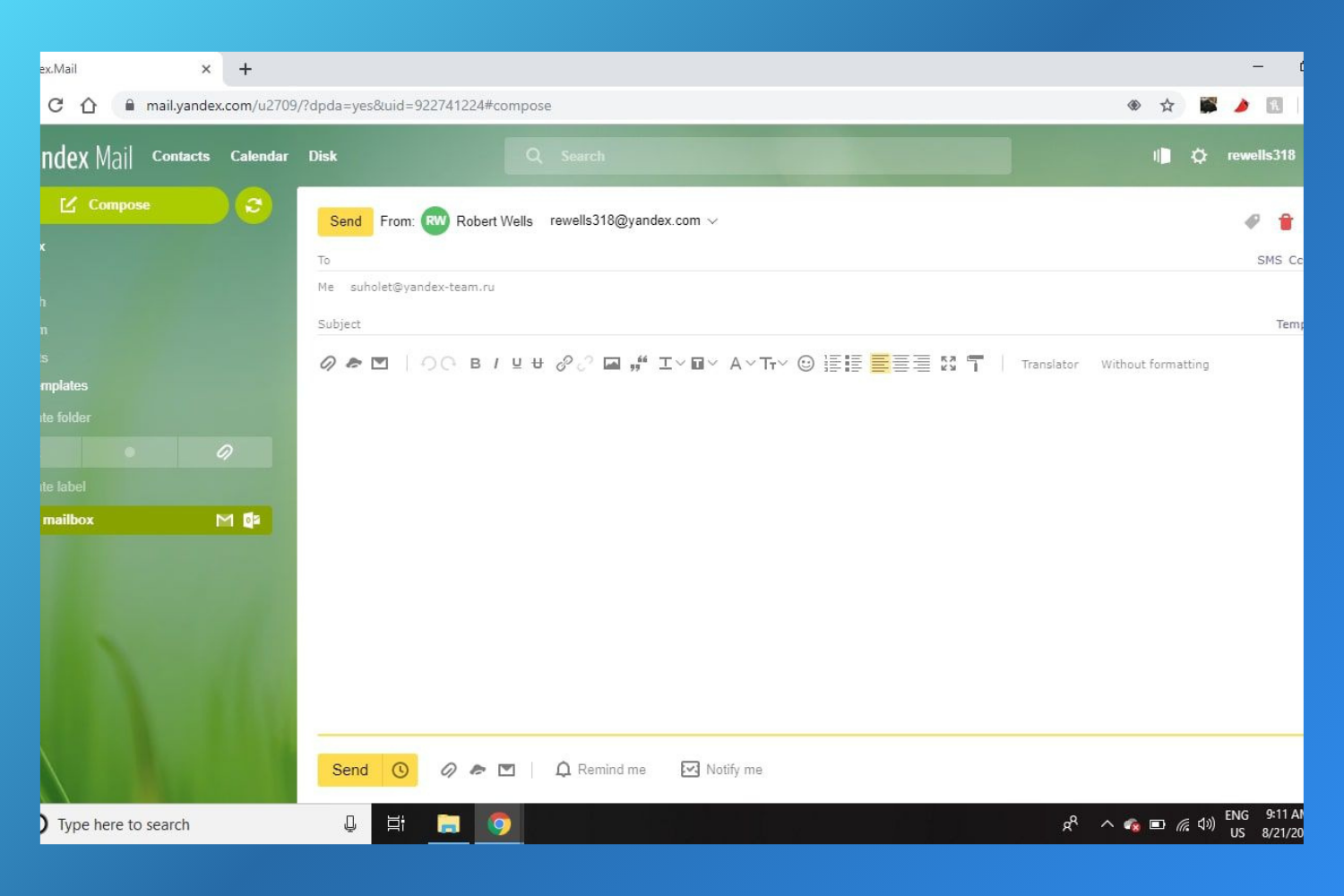
Yandex Mail is a free email service based in Russia and is often considered among the best Tutanota alternatives for users looking for strong spam protection. The free version is ad-supported, with ads displayed inside the inbox. Despite this, Yandex Mail remains a solid choice for users who want basic email privacy and effective spam filtering.
While Yandex Mail’s privacy standards don’t fully match those of privacy-first providers, it includes standard email security features such as TLS encryption in transit, two-factor authentication, and advanced spam protection. However, its association with Russia may raise privacy concerns for some users who prioritize strict data jurisdiction policies.
The paid version of Yandex Mail integrates smoothly with the Yandex 360 productivity suite, positioning it as a potential alternative to Microsoft 365 for users who want email, storage, and collaboration tools in one ecosystem.
🛠️ Yandex Mail Features
Yandex Mail offers a standard yet practical set of email management tools, including:
- Unique domain names
- Unified inbox
- Email forwarding
- Smart inbox
- Translation suggestions
- Encryption in transit (TLS)
- Two-factor authentication
- Advanced spam filters
- Built-in Yandex Disk cloud storage
👍🏻 Pros:
- Free version available with core features
- Strong spam protection and security tools
- Custom domain support (Pro version)
- Seamless integration with Yandex 360 tools
👎🏻 Cons:
- Limited storage on the free plan
- Uses the @yandex.ru domain
- Not as advanced as some modern email clients
💰 Yandex Mail Pricing
Yandex Mail is free to use with limited features. For advanced options like custom domains, increased storage, and access to Yandex 360 tools, the Pro plan starts at $1.37 per month (billed annually).
💬 Yandex Mail Reviews
- Capterra Rating: N/A
- G2 Rating: 4.2/5
Best Tutanota Alternatives, a Comparative Table
| Service | Free Version | Storage | Starting Price | AI | Read Receipts | Snooze | Biometric Lock | Smart Notifications |
|---|---|---|---|---|---|---|---|---|
| Canary Mail | ✅ | Storage (provider-dependent for email clients) | Free (Pro from $3/month See pricing page) | ✅ | ✅ | ✅ | ✅ | ✅ |
| Proton Mail | ✅ | 1 GB | €3.99 /month per user (billed annually) | ❌ | ❌ | ✅ | ✅ | ✅ |
| Posteo | ❌ | 2 GB | €1/month | ❌ | ❌ | ❌ | ❌ | ❌ |
| Gmail | ✅ | 15 GB | Free (Workspace from $6/user/month) | ✅ | ❌ | ✅ | ❌ | ✅ |
| Microsoft Outlook | ✅ | 15 GB | Free (Microsoft 365 from $1.99/month) | ✅ | ❌ | ✅ | ❌ | ✅ |
| FastMail | ❌ | 2 GB | $2.50/user/month (billed annually) | ❌ | ❌ | ✅ | ❌ | ✅ |
| FairEmail | ✅ | Storage (provider-dependent for email clients) | Free | ❌ | ❌ | ✅ | ✅ | ✅ |
| Yandex Mail | ✅ | 5 GB | Free (Pro from $1.37/month) | ❌ | ❌ | ✅ | ❌ | ✅ |
Who should stay with Tuta Mail?
Tuta Mail remains a strong choice for users who want a fully encrypted email provider, prefer a simple interface, and are comfortable using a closed ecosystem without third-party integrations. If you specifically want a new private email address with provider-level encryption and minimal features, Tuta Mail may still be the right fit.
Tutanota Alternatives: The Bottom Line
While Tuta Mail (formerly Tutanota) is a trusted privacy-focused email service and a popular free email provider, it can feel outdated compared to many modern secure email solutions available today. Limited storage, a basic interface, and fewer productivity features make it less ideal for users with evolving email needs.
If you’re looking for a more capable Tuta Mail alternative, several secure email services now offer better performance, smarter inbox tools, and modern usability - while still prioritizing encryption and privacy. These Tutanota competitors provide options ranging from ad-free inboxes to advanced productivity features.
Ultimately, the best email client depends on your priorities. For users who want a modern, encrypted email app with advanced tools, Canary Mail is a strong choice, combining end-to-end encryption with optional AI-powered features for efficient email management.
[cta-block:ctablock3,title="Switch to a More Secure and Efficient Email with Canary Mail",subtitle="Advanced email security and AI tools for all devices",button1="Try Canary Mail Free",button1link="/downloads",button2="Explore Security Features",button2link="/features/security"]
FAQs About Tutanota Alternatives
What is the safest and most private email?
Email services and clients that prioritize user privacy, such as Proton Mail and Canary Mail, are considered among the safer options for protecting user data.
Are Tutanota alternatives more secure than Tuta Mail?
Some alternatives, such as Proton Mail or Canary Mail, can offer comparable or enhanced security features, including PGP encryption, two-factor authentication, and advanced spam or impersonation detection. The best choice depends on your threat model and how you use email.
Can I import my emails from Tutanota to another email client?
In most cases you can. Many email clients support importing emails using IMAP or built-in export tools. However, since Tutanota uses end-to-end encryption, encrypted emails may need a few extra steps to export or view them correctly in another client.
Are there free alternatives to Tutanota?
There are several free options available. Services like Gmail, FairEmail, and Yandex Mail offer free accounts. Keep in mind that free plans usually come with limits on storage or features.
Which Tutanota alternative is best for business use?
For business use, popular options include Microsoft Outlook, Gmail (via Google Workspace), and Proton Mail Business. These platforms offer better collaboration tools, more storage, and stronger administrative and security features suited for teams.