Short answer: if you want a new, private address, Proton Mail is the best all-round secure email service, and Tuta encrypts the most (including subject lines) for the lowest price. If you'd rather keep your Gmail, Outlook or iCloud address, a secure email app can add encryption on top: Thunderbird does it free with OpenPGP, and Canary Mail (ours) adds PGP, tracker blocking and AI across Mac, iPhone, Windows and Android.
Disclosure: we make Canary Mail, one of the apps below. We've said where it falls short too. Prices and features were checked on each provider's own site in October 2026.
What makes email secure?
Almost all email is encrypted in transit with TLS, which stops people snooping on the way between servers. Gmail does this for every message. But once the email arrives, your provider can read it.
- End-to-end encryption means a message is encrypted on your device and only the recipient can decrypt it. Not even your provider can read it. PGP and S/MIME are the standard ways to do this.
- Zero-access encryption protects mail stored on the provider's servers, including mail that arrived unencrypted from someone on Gmail. Proton calls end-to-end encryption the stronger of the two.
- Metadata usually stays readable. Even secure services leave sender and recipient addresses unencrypted; Proton also leaves subject lines out of end-to-end encryption, while Tuta encrypts them.
Security also depends on your account: a strong, unique password and two-step verification or a passkey matter as much as encryption.
Secure email apps and services compared
| Type | End-to-end encryption | Encrypted mail to anyone | Free plan | Paid from | Based in | |
|---|---|---|---|---|---|---|
| Proton Mail | Service | Automatic between Proton users; zero-access storage | Password-protected emails | Yes (up to 1 GB) | $3.99/month yearly | Switzerland |
| Tuta | Service | Automatic, including subject lines | Password-protected emails | Yes (1 GB) | €3/month yearly | Germany |
| Mailfence | Service | OpenPGP, per message | Password-encrypted messages | Yes (500 MB of mail) | €2.50/month yearly | Belgium |
| mailbox.org | Service | PGP in webmail; encrypted inbox option | Not covered here | No (30-day trial) | €1/month | Germany |
| StartMail | Service | One-click PGP | Password-protected emails | No (7-day trial) | $4.99/month yearly | Netherlands |
| Canary Mail | App for your accounts | PGP (Pro+) | SecureSend link (Pro+) | Yes | $100/year for Pro+ | N/A |
| Thunderbird | App for your accounts | OpenPGP and S/MIME | No | Free | Free | N/A |
| Apple Mail | App for your accounts | S/MIME | No | Free | Free | N/A |
The best secure email services
These give you a new address hosted by a privacy-focused provider.
1. Proton Mail: Best overall secure email service
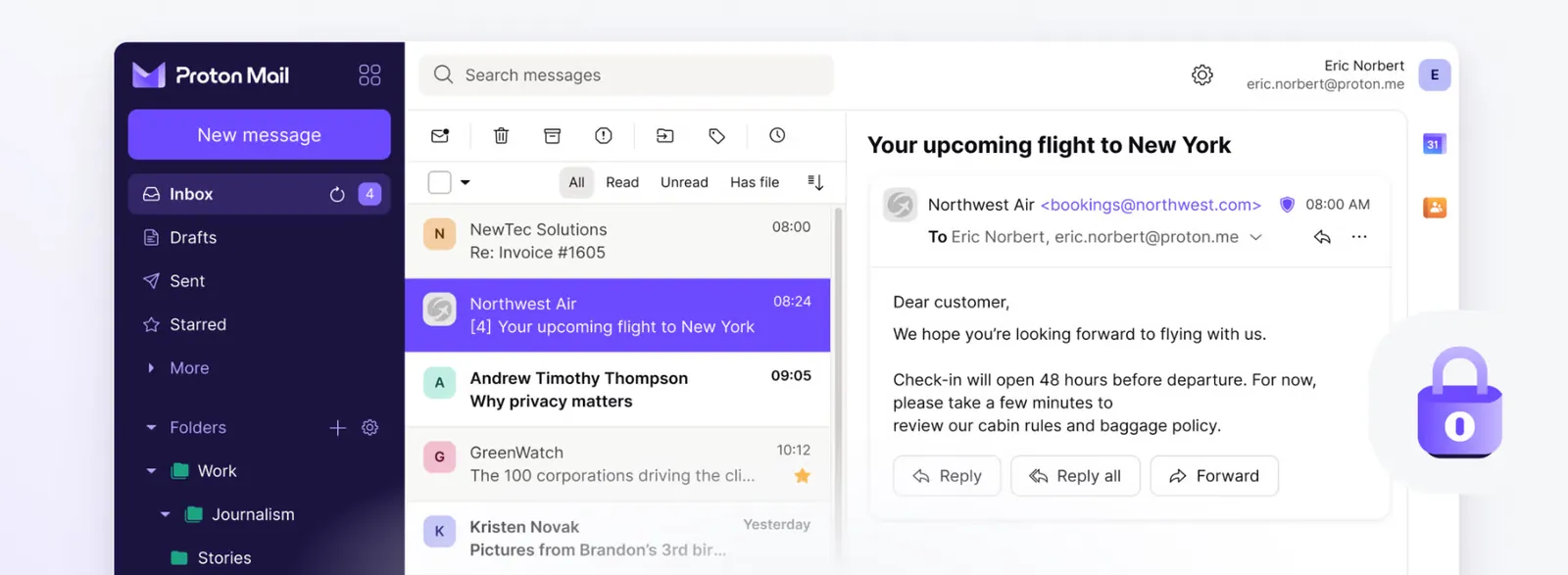
Proton Mail, based in Switzerland, encrypts mail end to end between Proton users automatically and stores everything else with zero-access encryption. You can send password-protected, end-to-end encrypted emails to people on other services, and all Proton apps are open source and independently audited. Post-quantum protection arrived in May 2026, though you have to turn it on. See our Proton Mail alternatives if it isn't quite right.
- Price: free plan; Mail Plus $3.99 a month billed yearly or $4.99 monthly
- Free plan: one address, up to 1 GB (new accounts start at 500 MB), 150 messages a day
- Other apps: desktop apps connect through Proton Mail Bridge, on paid plans only
- Platforms: web, iPhone, iPad, Android, Mac, Windows and Linux (beta)
- Rating: 4.8 on the US App Store (48,906 ratings) and 4.5 on Google Play (95,224 reviews), as of October 16, 2026
- Downside: subject lines aren't end-to-end encrypted, and the free plan is small.
2. Tuta: Best for encrypting everything

Tuta, from Germany, encrypts your whole mailbox end to end, including subject lines, attachments, contacts and calendar; only sender and recipient addresses stay readable. It has used quantum-resistant encryption by default since 2024, its apps are open source, and you can send encrypted mail to anyone with a shared password.
- Price: free plan; Revolutionary €3 a month billed yearly (20 GB)
- Free plan: 1 GB, one address, private use only
- Other apps: none: Tuta doesn't support IMAP, so it only works in its own apps
- Platforms: web, iPhone, Android, Windows, Mac and Linux
- Rating: 4.7 on the US App Store (3,738 ratings) and 4.4 on Google Play (18,682 reviews), as of October 16, 2026
- Downside: you can't use it in Apple Mail, Outlook or other apps. See our Tuta alternatives.
3. Mailfence: Best for OpenPGP with a full office suite
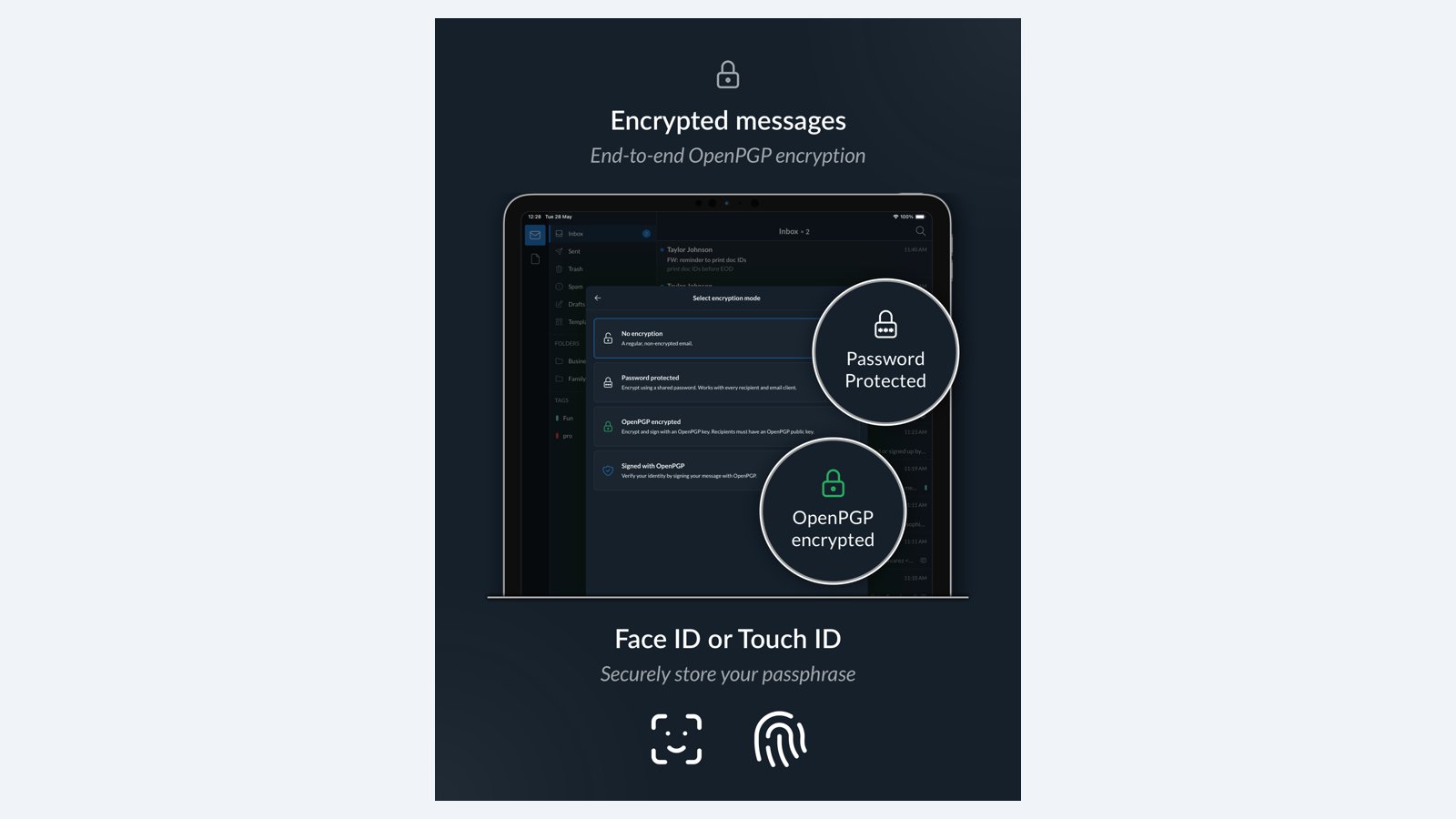
Mailfence, based in Belgium, builds OpenPGP encryption into its webmail: encryption happens in your browser, it works with any other OpenPGP user, and you choose which messages to encrypt. You can also send password-encrypted messages to people without PGP, sign mail digitally, and use its calendar, contacts and documents.
- Price: free plan; Base €2.50, Entry €3.50, Pro €9.50 a month, billed yearly
- Free plan: 500 MB of mail and 500 MB of documents, 50 emails a day
- Other apps: web, iPhone and Android apps; IMAP and custom domains from Entry
- Platforms: web, iPhone and Android
- Rating: 3.9 on the US App Store (112 ratings) and 3.4 on Google Play (434 reviews), as of October 16, 2026
- Downside: ordinary stored mail isn't zero-access encrypted, and Mailfence isn't open source yet.
4. mailbox.org: Best for PGP in any email app
mailbox.org, with servers in Berlin, works in any email app over IMAP and has PGP and S/MIME built into its webmail. You can also have incoming mail encrypted with your own PGP key, so it's stored encrypted even if the sender didn't encrypt it.
- Price: Light €1 a month (yearly), Standard €3 a month yearly or €4 monthly; 30-day trial
- Storage: 2 GB on Light, 20 GB on Standard
- Other apps: any IMAP or POP app
- Downside: encryption is PGP you set up yourself, and there's no free plan.
5. StartMail: Best for easy PGP and aliases
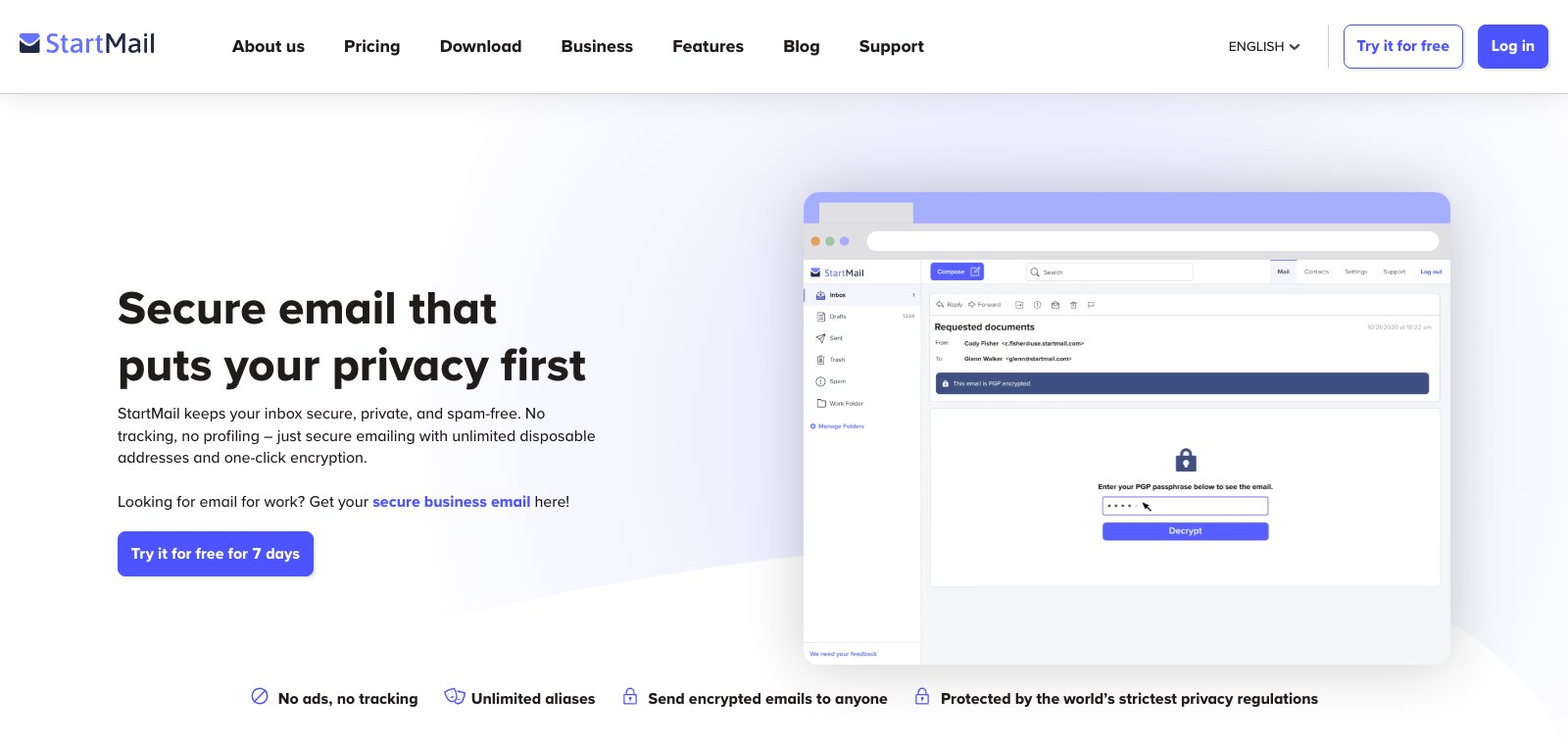
StartMail, based in the Netherlands, encrypts with PGP in one click and lets you send encrypted mail to anyone by setting a password the recipient uses to read and reply. It adds unlimited disposable aliases and works in other apps over IMAP.
- Price: Personal $4.99 a month billed yearly ($59.88) or $6.99 monthly; 7-day trial
- Storage: 20 GB
- Other apps: any IMAP app
- Downside: no free plan, and the trial needs a card or PayPal.
The best secure email apps
These add encryption and privacy to the email account you already have.
6. Canary Mail: Best for encryption and AI across devices

Canary Mail (ours) works with Gmail, Outlook, iCloud, Exchange and IMAP accounts on Mac, iPhone, iPad, Windows and Android. Its Pro+ plan adds PGP encryption, SecureSend (a secure link with identity verification, expiry and revoke, for recipients who don't use PGP) and phishing and impersonation detection. Tracker blocking is on by default, and Canary says your emails aren't used to train AI models.
- Price: free plan; Growth $36 a year adds AI writing and summaries; Pro+ $100 a year adds PGP and SecureSend; 7-day free trial
- Accounts: unlimited, including on the free plan (up to 2 devices)
- Platforms: Mac, iPhone, iPad, Windows, Android
- Extras: Face ID or Touch ID app lock on iPhone
- Rating: 4.5 on the US App Store (8,786 ratings) and 4.3 on Google Play (7,706 reviews), as of October 16, 2026
- Downside: PGP and phishing protection need Pro+, and your provider can still read mail that isn't encrypted.
7. Thunderbird: Best free secure email app

Thunderbird, from a Mozilla subsidiary, has had OpenPGP built in since 2020 and supports S/MIME too. It's free, open source, runs on Windows, Mac and Linux (with an Android app), and works with almost any email account.
- Price: free
- Platforms: Windows, Mac, Linux, Android; iPhone/iPad: public TestFlight beta (not on the App Store)
- Rating (Android app): 3.5 on Google Play (10,057 reviews), as of October 16, 2026
- Downside: you manage your own keys, and both sides need PGP for an encrypted conversation.
8. Apple Mail: Best built-in option on Apple devices
Apple Mail supports S/MIME encryption with a personal certificate, and Mail Privacy Protection hides your IP address and stops senders seeing when you open a message. It doesn't have PGP built in. Note that iCloud Mail itself isn't end-to-end encrypted, even with Advanced Data Protection.
- Price: free
- Platforms: iPhone, iPad, Mac
- Rating (iPhone): 4.6 on the US App Store (4,506,616 ratings), as of October 16, 2026
- Downside: S/MIME needs certificates on both sides, so most everyday mail isn't end-to-end encrypted.
How to choose
- Want a private address and don't mind a new one? Proton Mail or Tuta.
- Need encryption that works with any OpenPGP user? Mailfence, mailbox.org or StartMail.
- Want to keep your Gmail, Outlook or iCloud address? Use an app with PGP: Thunderbird for free, Canary Mail for PGP plus AI on every device.
- Only on Apple devices? Apple Mail with S/MIME and Mail Privacy Protection is a reasonable start.
New to PGP? Read our guide to PGP encryption.
Frequently asked questions
Is there a safer email than Gmail?
For privacy, yes. Proton Mail and Tuta encrypt your mail so the provider can't read it, while Gmail encrypts mail in transit but can read it on its servers. For account security, Gmail is strong if you turn on two-step verification or passkeys; Google's free Advanced Protection Program adds more.
Is Gmail or Apple Mail safer?
Neither encrypts mail end to end by default. Apple Mail adds Mail Privacy Protection and S/MIME and shows no ads; Gmail adds strong account protection like passkeys and Advanced Protection, but personal accounts see ads in the Promotions and Social tabs.
What is the downside of Proton Mail?
The free plan has up to 1 GB and 150 messages a day, using desktop email apps needs Proton Mail Bridge on a paid plan, and subject lines aren't end-to-end encrypted.
Which email is least likely to be hacked?
No provider is immune. Use a unique password and turn on two-step verification or a passkey (Google says passkeys are more secure against phishing), and choose a provider that encrypts your stored mail, like Proton or Tuta, so a breach exposes less.
What is the difference between end-to-end and zero-access encryption?
End-to-end encryption scrambles a message on your device so only the recipient can read it. Zero-access encryption protects mail stored on the provider's servers, including mail that arrived unencrypted.
Can I encrypt my Gmail?
Yes, with an app that supports PGP, like Thunderbird or Canary Mail (Pro+). Gmail itself only offers S/MIME on work or school accounts.
Sources
- Proton: end-to-end encryption
- Proton: encryption explained (subject lines)
- Proton plans
- Proton: open source
- Tuta: encryption
- Tuta pricing
- Mailfence
- Mailfence: is Mailfence open source?
- mailbox.org prices
- StartMail pricing
- Thunderbird 78.2.1 release notes (OpenPGP)
- Apple: Mail privacy and security
- Apple: iCloud data security overview
- Google: Gmail encryption
- Canary Mail security
- Canary Mail pricing
- App Store and Google Play ratings: each app's US store listing, checked October 16, 2026