If you rely on a Windows or Mac desktop for your professional or personal life, Mailbird has likely been on your radar. While it provides a robust toolkit for organizing and managing multiple inboxes-offering features like email snoozing, customizable layouts, and integrations-its desktop-centric nature and lack of advanced AI features are prompting many users to seek more comprehensive alternatives in 2026.
What is Mailbird?
Mailbird is a productivity-focused desktop email client for Windows and macOS that unifies several email accounts into a single, cohesive inbox. Its core value lies in streamlining email workflow with features such as speed reading and integration with popular third-party productivity apps (Asana, Dropbox, etc.).
💡 The primary reason users are searching for a Mailbird alternative in 2026 is its continued fundamental lack of a robust web platform or integrated mobile workflow, and its lagging adoption of advanced AI-powered productivity and security features compared to competitors.
In this 2026 guide, we review the top Mailbird alternatives that offer superior versatility, comprehensive mobile access, and cutting-edge features to elevate your email experience across all your devices and operating systems.
Why You Need a Mailbird Alternative?
Mailbird's expansion to macOS solved its Windows-only limitation, but in 2026, the email landscape demands more than just desktop apps. The professional workflow now hinges on seamless access and productivity from a mobile phone or any web browser. If you are also leaving the built-in Windows app, see our guide to the best email clients for Windows.
- Tied to a Single Machine: Mailbird is still a desktop-only client, even after its expansion to macOS. There is no mobile app or browser-based client, so your unified inbox is tied to a single machine, limiting your freedom to work on the go.
- Missing Cutting-Edge AI: The top email clients in 2026 leverage AI for instant summaries, drafting, and smart prioritization. Many alternatives offer these AI Copilot features as standard, saving significant time-an area where Mailbird still lags behind.
- Security Gaps: While Mailbird offers some security features, clients built around privacy, like Canary Mail, offer end-to-end encryption (E2E) and PGP encryption by default, a critical requirement for sensitive communications in the modern era.
Before diving into the top alternatives, if you are looking to break free from rigid email ecosystems and try a client built for modern cross-platform productivity, consider Canary Mail.
[cta-block:ctablock2,title="Looking for a Mailbird Alternative? Try Canary Mail for 2026",button1="Download Now",button1link="https://canarymail.io/downloads",button2="Learn More",button2link="https://canarymail.io/"]
Mailbird Features: A Quick Look
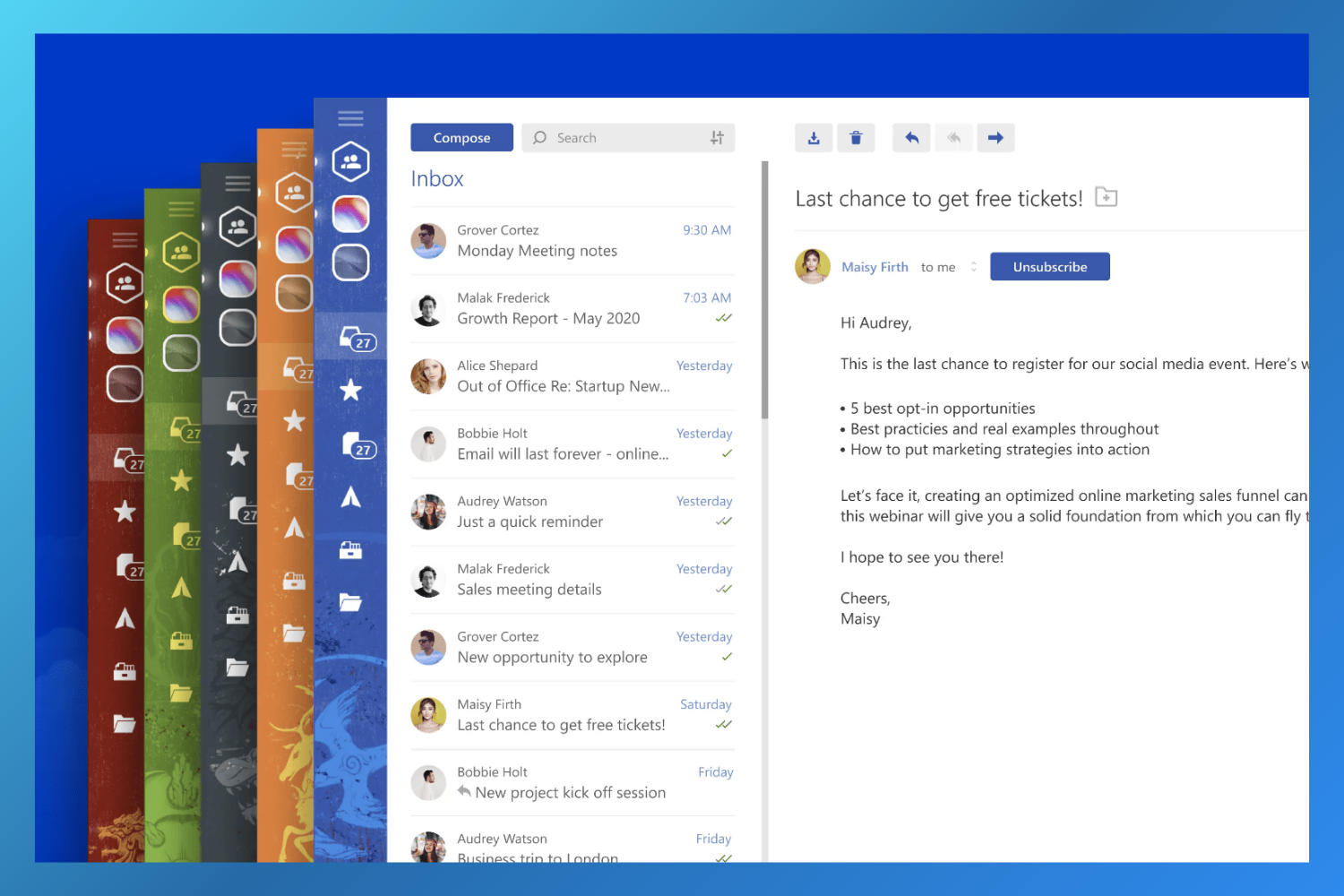
Mailbird continues to offer an aesthetically pleasing design and supports diverse email providers. Its notable features include:
- Customizable workspaces and templates
- Native calendar app
- AI-powered email authoring
- Centralized management of multiple accounts
- Message snoozing and speed reading
- Attachment search
- Multilanguage support
Pros
- Supports Windows and Mac desktop platforms
- Seamless integration with third-party apps (WhatsApp, Dropbox, etc.)
- Customizable layout and unified inbox
Cons
- Still a desktop-only client; lacks mobile or web access.
- Advanced AI features are limited compared to rivals
- Some advanced features restricted to paid tiers
Mailbird Pricing & Reviews
Mailbird offers a limited free version (fewer features, fewer accounts) plus two paid, lifetime access plans: Standard Pay Once at $99 and Premium Pay Once at $399.
- Capterra Rating: 4.4/5
- G2 Rating: 3.8/5
Top 6 Most Versatile Mailbird Alternatives in 2026
If true cross-platform compatibility, advanced AI, and robust security are your goals for 2026, these six clients offer superior flexibility and functionality.
1. Canary Mail - Best Mailbird Alternative Overall
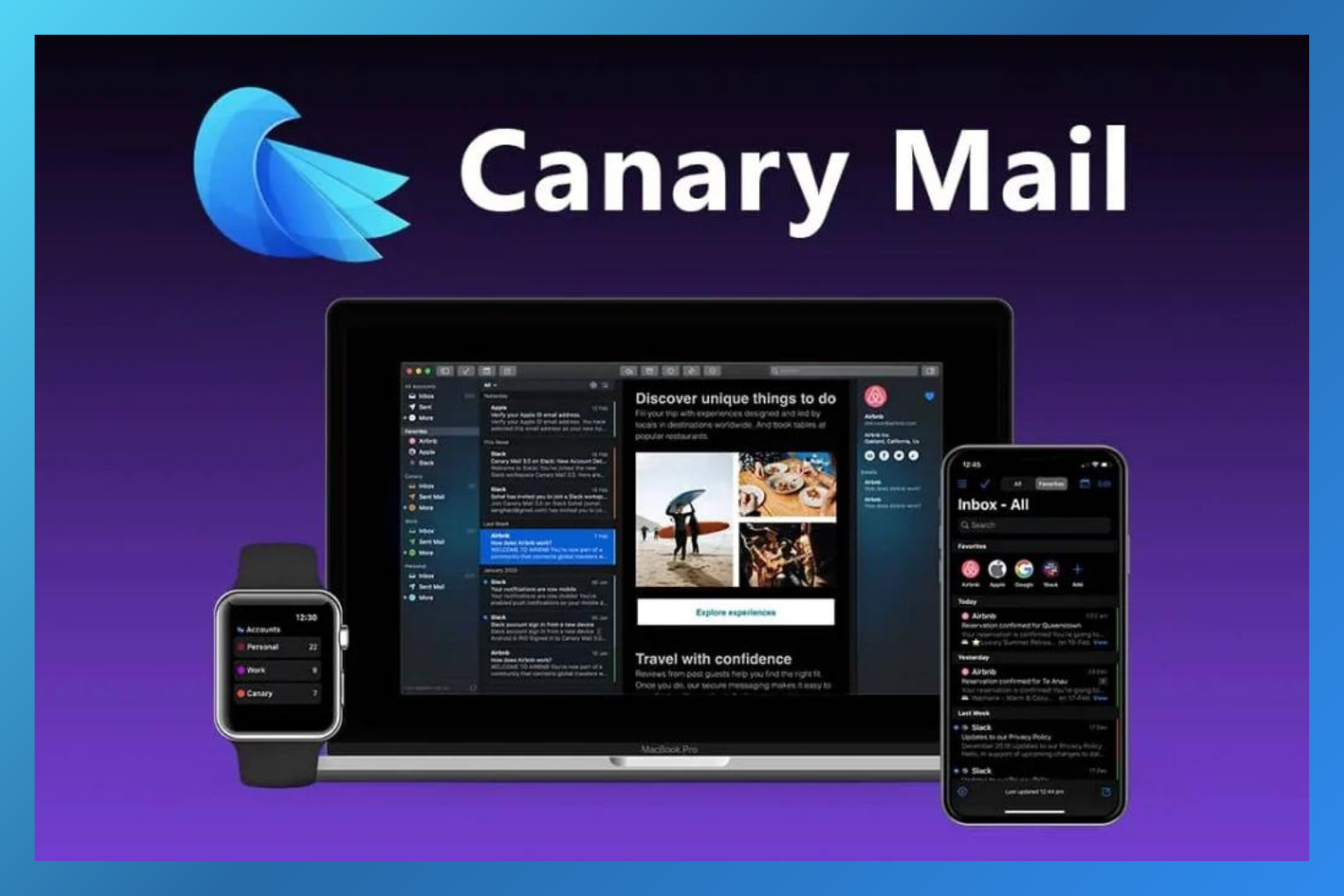
Canary Mail is the leading AI-powered and security-focused email client for 2026. Unlike Mailbird's desktop focus, Canary Mail offers a seamless, feature-complete experience across macOS, Windows, iOS, and Android, alongside a Chrome extension for web access.
Canary Mail sets the benchmark with its AI Copilot, providing instant summaries, reply drafting, and smart prioritization. Its core commitment to robust security, including optional PGP and end-to-end encryption, makes it the preferred choice for professionals and privacy-conscious users who cannot compromise on data safety.
Canary Mail Features:
- AI Copilot: AI Email Writer, Summaries, and Priority Inbox Insights
- Robust security via optional PGP and end-to-end encryption
- Unified Inbox, One-click Unsubscribes, Read Receipts
- Impersonation Detection and Biometric App Lock
- Available on all major platforms (macOS, Windows, iOS, Android, Chrome Extension)
Pros
- Cutting-edge AI tools for productivity
- Unmatched security via PGP/E2E encryption
- Seamlessly works across all major OS and mobile devices
Cons
- Full web-based platform is not a primary modality
- May take time to master all advanced settings
- Some might find the AI suggestions unnecessary initially
Canary Mail Pricing & Reviews
Canary Mail offers a free forever plan for personal use. The paid plans start at $36 per year.
- Capterra Rating: 4.7/5
- G2 Rating: 4.4./5
If you are ready to upgrade your inbox to a secure, AI-powered client that works on every device you own, download Canary Mail now.
[cta-block:ctablock1,title="One inbox for all accounts. Get started today",button="Install free",buttonlink="https://canarymail.io/downloads"]
2. Gmail - Best for Sending Emails on the Go
Gmail remains the dominant free email service and is fully integrated into the Google Workspace ecosystem. Its primary advantage over Mailbird is its web-first design and highly intuitive mobile application, offering reliable access from any browser or device, anywhere, anytime. Gmail includes basic AI features like Smart Compose and Nudges to help streamline communication.
Gmail Features:
- 15GB of free storage and Offline mode
- Superior spam filtering and malware detection
- Advanced phishing protection and Confidential mode
- Seamless integrations with other Google apps
Pros
- Unmatched accessibility (Web/Mobile first)
- Intuitive interface and easy setup
- Free to use
Cons
- Lack of built-in end-to-end encryption
- Dependence on the Google ecosystem
- Limited customization and no dedicated desktop app
Gmail Pricing & Reviews
Gmail is free. Google Workspace subscriptions for advanced features and custom domains start at $6 per user per month.
- Capterra Rating: 4.8/5
- G2 Rating: 4.6/5
3. Microsoft Outlook - Best for Microsoft Suite Users
Microsoft Outlook is a comprehensive email and calendar hub. It is the ideal Mailbird alternative for professionals embedded in the Microsoft 365 ecosystem. Outlook is universally available as a web platform, a desktop app for Mac and Windows, and a mobile app for iOS and Android, offering true enterprise-grade versatility. Outlook provides AI-assisted features, especially when integrated with a Microsoft 365 subscription (e.g., advanced Editor and Copilot functions).
Outlook Features:
- Seamless integration with the entire Office 365 suite
- Focused Inbox for prioritizing emails
- Scheduling emails and Enterprise-grade security
- Integrated calendar, contacts, and tasks
Pros
- Available for all major platforms (Windows, Mac, Web, Mobile)
- Tight integration with the Microsoft 365 suite
- Email and calendar apps are completely free
Cons
- Interface can be feature-dense and complex for casual users
- Search function could be improved according to some users
Outlook Pricing & Reviews
Outlook is free to use. Microsoft 365 plans (including Basic at $1.99/month and higher tiers with full desktop apps) are available for users who need deeper Office integration. If Outlook itself feels too heavy, compare these Outlook alternatives.
- Capterra Rating: 4.5/5
- G2 Rating: 4.5/5
4. eM Client - Best for an Abundance of Features
eM Client is a highly feature-rich desktop client that focuses on maximizing productivity with tools like an integrated chat, email templates, and advanced rules/filters. eM Client is available for Windows and macOS, with official mobile apps for iOS and Android.
eM Client Features:
- Integrated chat and built-in calendar/tasks module
- Advanced email rules, filters, and message encryption
- Snooze and schedule emails, plus Undo Send
- Built-in translation tools and spell-checker
Pros
- Highly customizable and rich in features
- Supports a wide range of email services
- Unified inbox for streamlined communication
Cons
- Free version is limited to two email accounts
- No web app
- Mobile apps are new and still maturing
eM Client Pricing & Reviews
eM Client is free for personal use (limited to two accounts). Pro versions start at a one-time payment of $29.95 per device.
- Capterra Rating: 4.2/5
- G2 Rating: 4.0/5
5. Thunderbird - Best Open-Source Mailbird Alternative
Developed by Mozilla, Thunderbird is a free, open-source email client known for its high level of customization, robust privacy features, and support for unlimited email accounts. It is available on macOS, Windows, and Linux, making it an excellent multi-OS choice for privacy-minded users.

Thunderbird Features:
- Open-source and fully customizable with a large library of add-ons
- Integrated calendar and task management
- Strong privacy and security features (POP/IMAP protocol support)
- Unified inbox for multiple accounts
Pros
- Completely free, open-source, and highly customizable
- Strong focus on privacy and security
- Available on Windows, Mac, and Linux
Cons
- No dedicated mobile app
- Interface can feel less modern than competitors
- Can sometimes be resource-intensive
Thunderbird Pricing & Reviews
Thunderbird is free forever, relying on user donations.
- Capterra Rating: 4.5/5
- G2 Rating: 4.3/5
6. Postbox - Best for Email Productivity
Postbox is a powerful desktop client centered on email organization and composition, featuring a clean, intuitive interface, powerful search, and a unified inbox. Postbox remains available only as a desktop platform for macOS and Windows, limiting its versatility compared to competitors with full mobile and web presence.
Postbox Features:
- Unified inbox and Smart Folders
- Real-time message filtering and powerful search
- Email tracking and Send Later functionality
- Mailing list unsubscribe and One-click archive
Pros:
- Visually appealing and intuitive interface
- Features a powerful search function
- Works with any IMAP or POP account
Cons:
- No mobile or web app
- Lacks advanced built-in AI features
- Desktop-only availability restricts modern workflows
Postbox Pricing & Reviews
Postbox offers a 30-day free trial. A lifetime license is available for a one-time fee of $49 per user.
- Capterra Rating: 4.8/5
- G2 Rating: 3.5/5
Best Mailbird Alternatives, A Comparative Table (2026)
| Features | Canary Mail | Gmail | Microsoft Outlook | eM Client | Thunderbird | Postbox |
|---|---|---|---|---|---|---|
| Free Version | (Trial Only) | |||||
| Storage | – | 15GB | 15GB | – | – | – |
| Pricing | $36/year paid plan | $6/month paid plan | $1.99/month paid plan | $29.95 one-time paid plan | Free | $49/lifetime |
| AI Features (Summaries/Drafts) | ||||||
| Read Receipts | ||||||
| Snooze Option | ||||||
| Biometric App Lock | ||||||
| Cross-Platform Mobile App |
Ready to elevate your email game beyond the limitations of Mailbird?
Canary Mail combines top-tier security with innovative AI-driven features to create the ultimate productivity email client for 2026, available on every major platform.
[cta-block:ctablock3,title="The best Apple Mail alternative",subtitle="Boost productivity with the ultimate email client.",button1="Try it Free",button1link="https://canarymail.io/downloads",button2="none",button2link="none"]
Alternative to Mailbird, the Bottom Line
Mailbird's expansion to macOS in 2024 was a positive step, but its core limitation in 2026 is its lack of a fully integrated web/mobile workflow and its limited advanced AI tools compared to industry leaders. Alternatives like Canary Mail, Microsoft Outlook, and Gmail provide far superior versatility and modern features.
When choosing your Mailbird alternative, prioritize true cross-platform compatibility (desktop, web, and mobile), robust security features (like E2E encryption), and cutting-edge AI tools that align with your unique workflow.
Mailbird Alternative, the FAQs
Is there a free version of Mailbird?
Yes, Mailbird offers a free forever version that comes with all the basic Mailbird features. However, the free version has certain restrictions compared to the Pro version, such as a limit on the number of email accounts you can add, no advanced AI integration, and the lack of priority support..
Which is better, Mailbird or Thunderbird in 2026?
Both Mailbird (Windows/Mac) and Thunderbird (Windows/Mac/Linux) are solid desktop clients. However, Thunderbird, being open-source, focuses heavily on privacy, customization, and multi-OS support, while Mailbird focuses on a modern UI and third-party desktop integrations. For comprehensive platform coverage and advanced AI, neither is the clear winner; a modern client like Canary Mail would be superior.
What is the best alternative to Mailbird for cross-platform use in 2026?
The best alternative is the one that best aligns with your needs. If you require maximum cross-platform compatibility across desktop and mobile, top-tier security, and cutting-edge features like AI, we highly recommend Canary Mail. If you are deeply integrated into the Microsoft ecosystem, Outlook is the best choice, and if you require primary access via a web browser, Gmail is unmatched.