Choosing the right email client can impact how efficiently you manage your inbox. While eM Client provides useful features like email management, calendars, and task tracking, some users look for eM Client alternatives with different capabilities or enhanced productivity tools.
AI email clients, like Canary Mail, are gaining popularity for their features, including AI-powered summaries, smart replies, and follow-up reminders. These tools help users stay organized and prioritize important messages effectively.
Privacy and security are also key considerations. Many alternatives emphasize data protection, optional end-to-end encryption, and secure handling of sensitive emails, appealing to users concerned about email safety.
In this article, we explore top alternative email solutions that balance productivity, security, and cross-platform support.
[cta-block:ctablock1,title="Compare Smarter Email Clients with AI",button="Download Canary Mail",buttonlink="https://canarymail.io/downloads"]
What is eM Client?
eM Client is a desktop email client for Windows and macOS that combines email management with calendar scheduling, contact organization, and task tracking. It supports popular email services such as Gmail, Outlook, and Exchange, and includes features like PGP encryption, chat integration, and a clean, user-friendly interface.
Over the years, eM Client has built a loyal user base thanks to its comprehensive feature set and focus on email productivity. It’s especially useful for users who want to manage communication and scheduling in one place, offering:
- Integrated email and calendar management
- Built-in tasks and contact organization
- Chat integration for streamlined communication
- Support for multiple email providers
That said, some users - both on the free and paid versions - start exploring eM Client alternatives to find tools that better match their evolving workflow, performance expectations, or feature preferences.
If that sounds like you, this guide will help you compare the top eM Client competitors, breaking down their key features, pros, and cons so you can choose the email client that best fits your needs.
Why Do You Need an eM Client Alternative?
(Performance & workflow considerations)
eM Client is a full-featured desktop email client first released in 2007. It’s available as a free download for Windows and macOS, with paid plans offering advanced features. eM Client also offers mobile apps for iOS and Android.
Designed to improve productivity, eM Client brings email, chat, calendar, and task management into one place, helping users keep track of conversations, appointments, and to-dos from a single interface.
While eM Client offers many useful features for email organization, some users begin looking for eM Client alternatives due to reliability and performance concerns. Some users report issues such as occasional crashes, slower email syncing, or data-related concerns, which can interrupt workflows - especially for those managing large inboxes.
Common reasons users look for eM Client alternatives include:
- Crashes or freezes reported by some users: These interruptions can disrupt productivity and delay responses to important messages.
- Slower email delivery or syncing in certain setups: Some users experience lag when loading or sending emails, impacting timely communication.
- Concerns about long-term reliability when managing large volumes of email: Occasional user reports about data syncing or recovery issues raise concerns for those managing high-volume or long-term email archives.
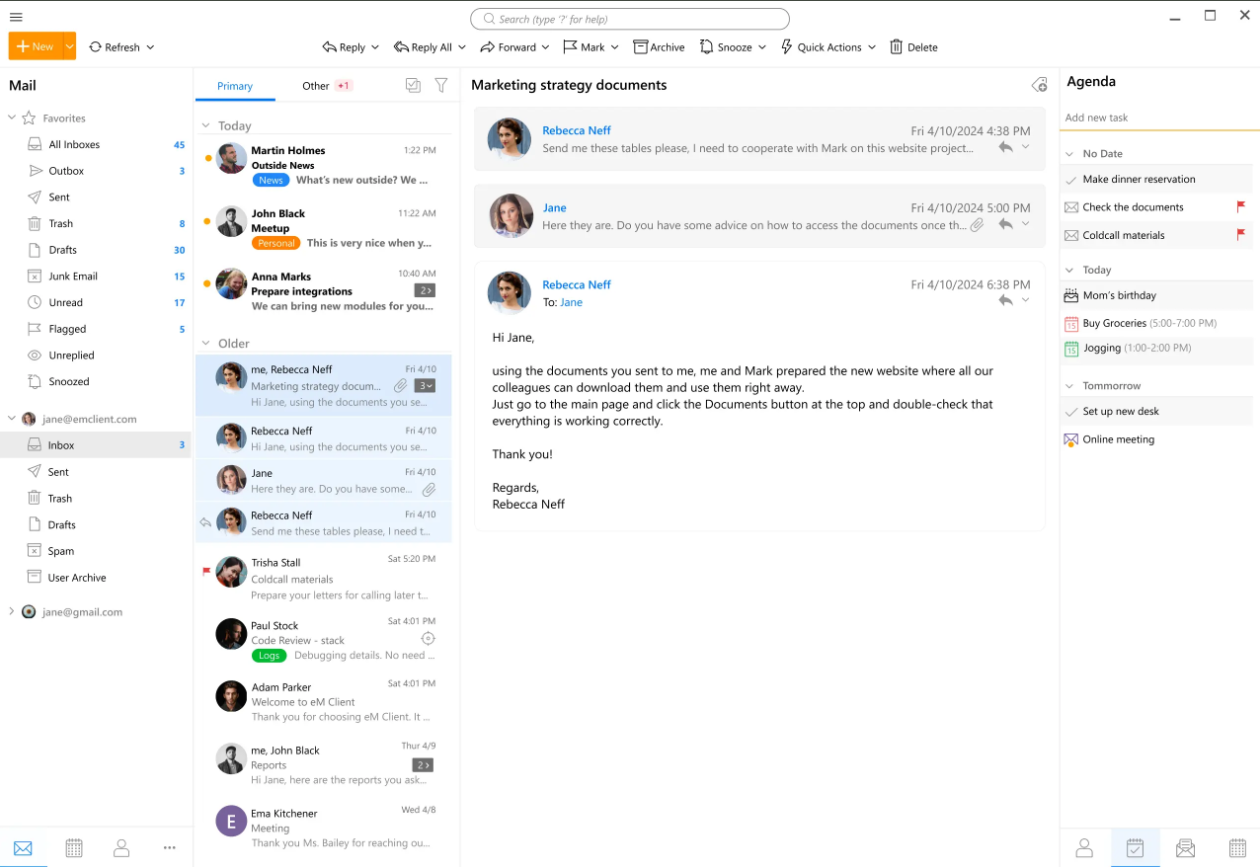
🛠️ eM Client Features
eM Client is well-suited for users who want a feature-rich email client that supports major email providers such as Gmail, Exchange, iCloud, and Outlook. Key features include:
- Integrated chat
- Advanced email rules and filters
- Built-in calendar and task management
- Message encryption for added security
- Email snoozing
- Email scheduling
- Undo send
- Built-in translation tools and spell-checker
👍🏻 Pros
- Simple and easy-to-use interface
- Rich feature set for streamlined communication
- Supports a wide range of email services
- Advanced filtering and rules for efficient email management
👎🏻 Cons
- Free version limited to two email accounts
- Some users report performance issues with large volumes of email
💰 eM Client Pricing
eM Client is free for personal and non-commercial use. Paid Pro versions are available, starting at $29.95 as a one-time payment.
💬 eM Client Reviews
- Capterra Rating: 4.2/5
- G2 Rating: 4.0/5
How We Chose the Best eM Client Alternatives
This list is based on hands-on product research, feature comparisons, pricing analysis, and user feedback from trusted review platforms. Each eM Client alternative was evaluated for reliability, security, productivity features, platform support, and overall ease of use.
Top 10 eM Client Alternatives You Can Rely On
If eM Client has been your go-to email client, it’s likely because of its strong focus on productivity. Many users value its feature-rich setup for managing emails, calendars, and tasks in one place.
That said, some users start exploring eM Client alternatives when they need better performance, improved reliability, or more modern features to support their daily workflow.
Below, we’ve rounded up the top 10 eM Client alternatives that offer a more reliable and efficient email experience. Short on time? You can jump straight to the comparison table at the end of the article for a quick overview.
1. Canary Mail - Best eM Client Alternative Overall
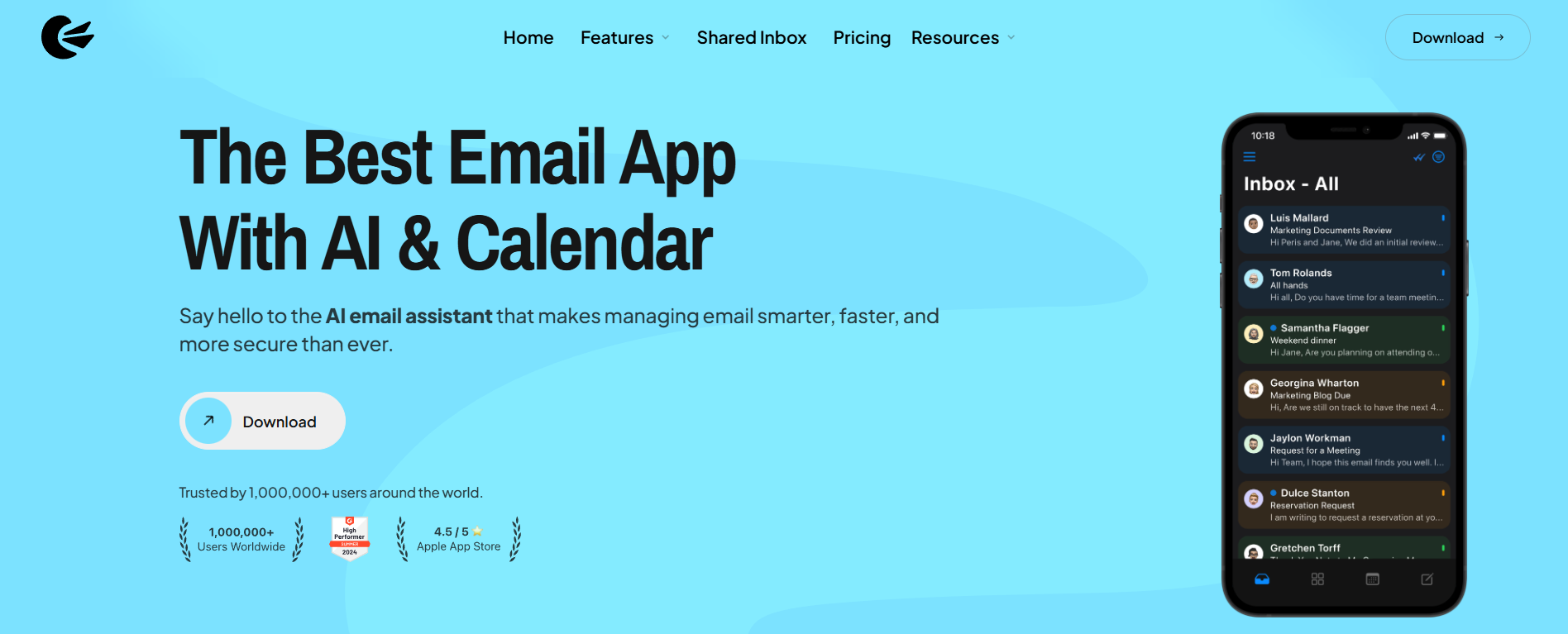
Canary Mail is a modern email client known for its strong focus on security, privacy, and productivity. As an eM Client alternative, it appeals to users who want a more advanced email experience with built-in AI features and robust encryption.
In addition to privacy-first protections like end-to-end encryption, Canary Mail helps streamline email management with tools such as AI-assisted email writing, read receipts, and email snoozing. These features are designed to reduce inbox overload and help users respond more efficiently.
While eM Client offers a comparable set of productivity tools, Canary Mail may be a better fit for users who want built-in AI features for writing, organizing, and prioritizing emails, along with a stronger focus on privacy.
Compared to eM Client, Canary Mail offers built-in AI-assisted writing, summaries, and follow-up reminders without relying on plugins or third-party integrations. For the full head-to-head, read Canary Mail vs eM Client.
🛠️ Canary Mail Features
As an email app that supports multiple accounts, Canary Mail helps users stay organized and productive while ensuring important messages don’t go unnoticed. Key features include:
- AI-powered tools, including an AI email writer
- One-click unsubscribe from newsletters
- Push notifications for important emails
- Email snooze functionality
- Read receipts
- Compatibility with major email services
- Impersonation detection
- Biometric app lock
👍🏻 Pros
- AI-based features for writing and managing emails
- Strong security, including PGP and end-to-end encryption
- Clean, modern, and intuitive interface
- 28-day free trial
👎🏻 Cons
- May take some time to get used to
- AI suggestions may feel unnecessary to some users
💰 Canary Mail Pricing
Canary Mail offers a free forever plan for personal use. Paid plans start at $3 per month.
💬 Canary Mail Reviews
- Capterra Rating: 4.7/5
- G2 Rating: 4.4/5
2. Mailbird - Best eM Client Alternative for Windows and Mac
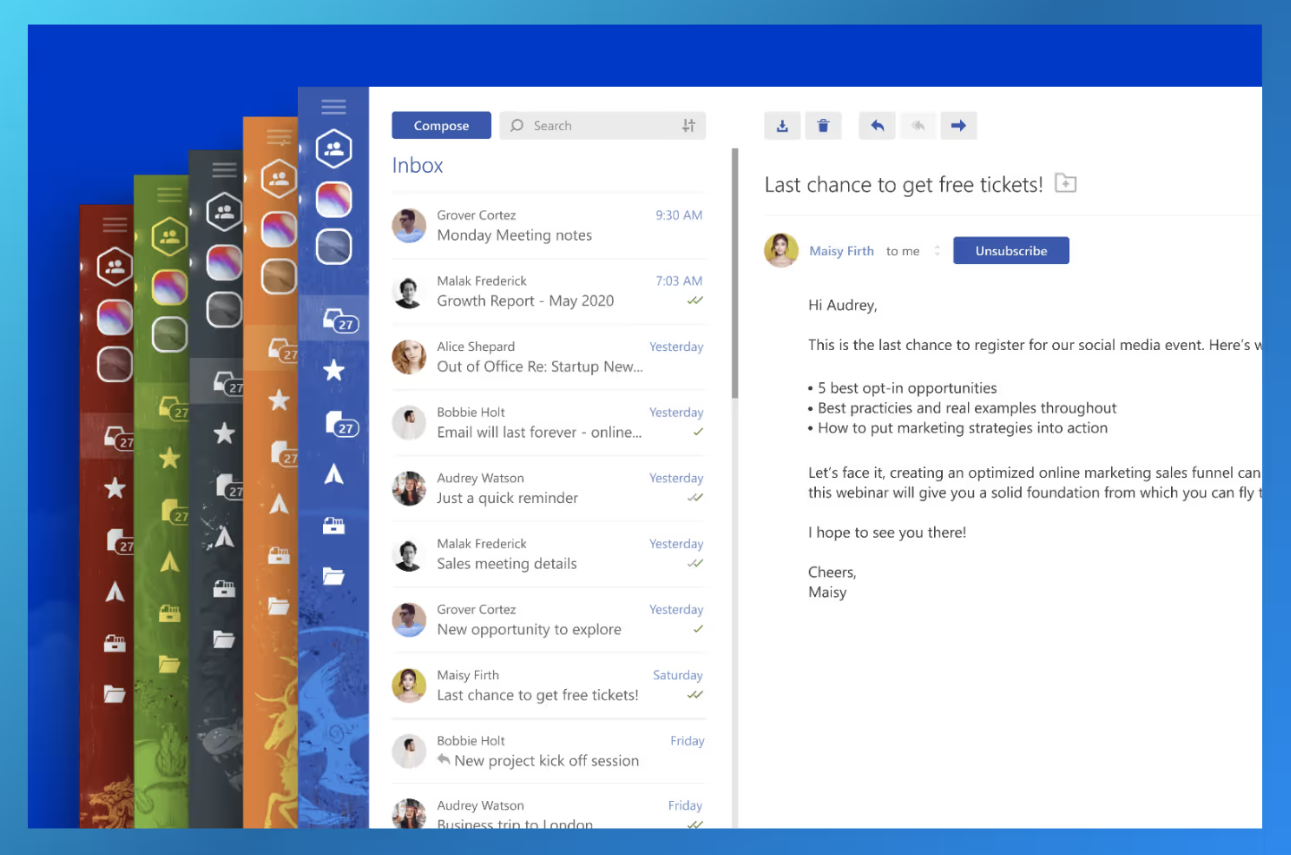
Mailbird is a desktop-based email client built specifically for Windows and Mac users. It integrates with a wide range of third-party apps, including social media platforms, task management tools, and messaging services, making it a popular eM Client alternative for Windows.
One of Mailbird’s biggest strengths is its unified inbox, which lets you manage multiple email accounts from a single place. Alongside this, Mailbird offers several email productivity features, including AI-powered tools and speed-reading technology, designed to help users handle emails more efficiently.
🛠️ Mailbird Features
Mailbird stands out for its clean interface and support for multiple email providers. As a best eM Client alternative for Windows and Mac, it offers several useful features, such as:
- Customizable email workspaces and templates
- Calendar integration
- AI-powered email authoring
- Centralized email management with a unified inbox
- Message snoozing
- Speed-reading technology
- Attachment search
- Multilingual support
👍🏻 Pros:
- Seamless integration with popular apps like WhatsApp, Twitter, Dropbox, and more
- Customizable layout and appearance to match personal preferences
- Supports multiple accounts with a unified inbox
- Works with major email providers, including Gmail and Outlook
👎🏻 Cons:
- Desktop-only email client with no mobile app available
- Some advanced features are limited to paid plans
💰 Mailbird Pricing
Mailbird is free to download with limited features. Paid options include one-time purchase plans (Standard: ~$49.50, Premium: ~$99.75) and annual subscriptions, providing access to premium features.
💬 Mailbird Reviews
- Capterra Rating: 4.4/5
- G2 Rating: 3.6/5
3. Thunderbird - Best Open-Source eM Client Alternative
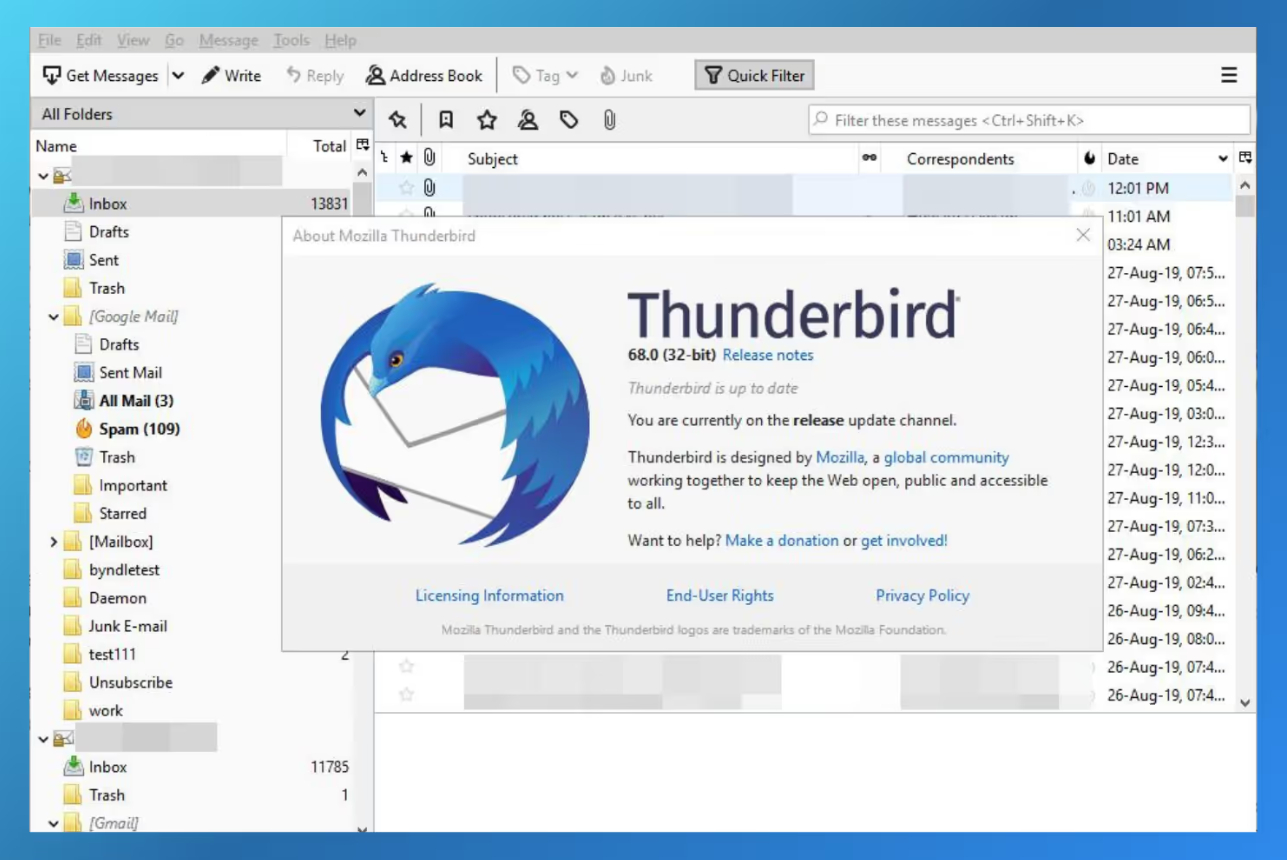
Thunderbird is a free, open-source email client developed by Mozilla (maintained by MZLA Technologies, a Mozilla subsidiary). While its interface may feel slightly outdated compared to newer tools, Thunderbird remains one of the best eM Client alternatives thanks to its high level of customization and support for unlimited email accounts.
Available in multiple languages, Thunderbird works across all major operating systems, including Windows, macOS, and Linux, making it a flexible option for users looking to switch from eM Client.
🛠️ Thunderbird Features
Thunderbird offers a solid set of productivity and organization tools, including:
- An integrated calendar
- Built-in task management options
- A large library of add-ons for extended functionality
- Tagging features for easier email organization
- A unified inbox to manage multiple email accounts in one place
👍🏻 Pros:
- Open-source and highly customizable with a wide range of add-ons
- Integrated calendar and task management tools
- Strong privacy and security features, including built-in OpenPGP encryption support
- Supports both POP and IMAP protocols
👎🏻 Cons:
- The interface can feel outdated compared to modern email clients
- Some users report slower performance and higher resource usage
- Cannot be used as a web-based email client
💰 Thunderbird Pricing
Thunderbird is completely free to download and use as an open-source project. While there’s no cost involved, users have the option to support development through voluntary donations.
💬 Thunderbird Reviews
- Capterra Rating: 4.4/5
- G2 Rating: 4.3/5
4. Microsoft Outlook - Best eM Client Alternative for Microsoft 365 Users
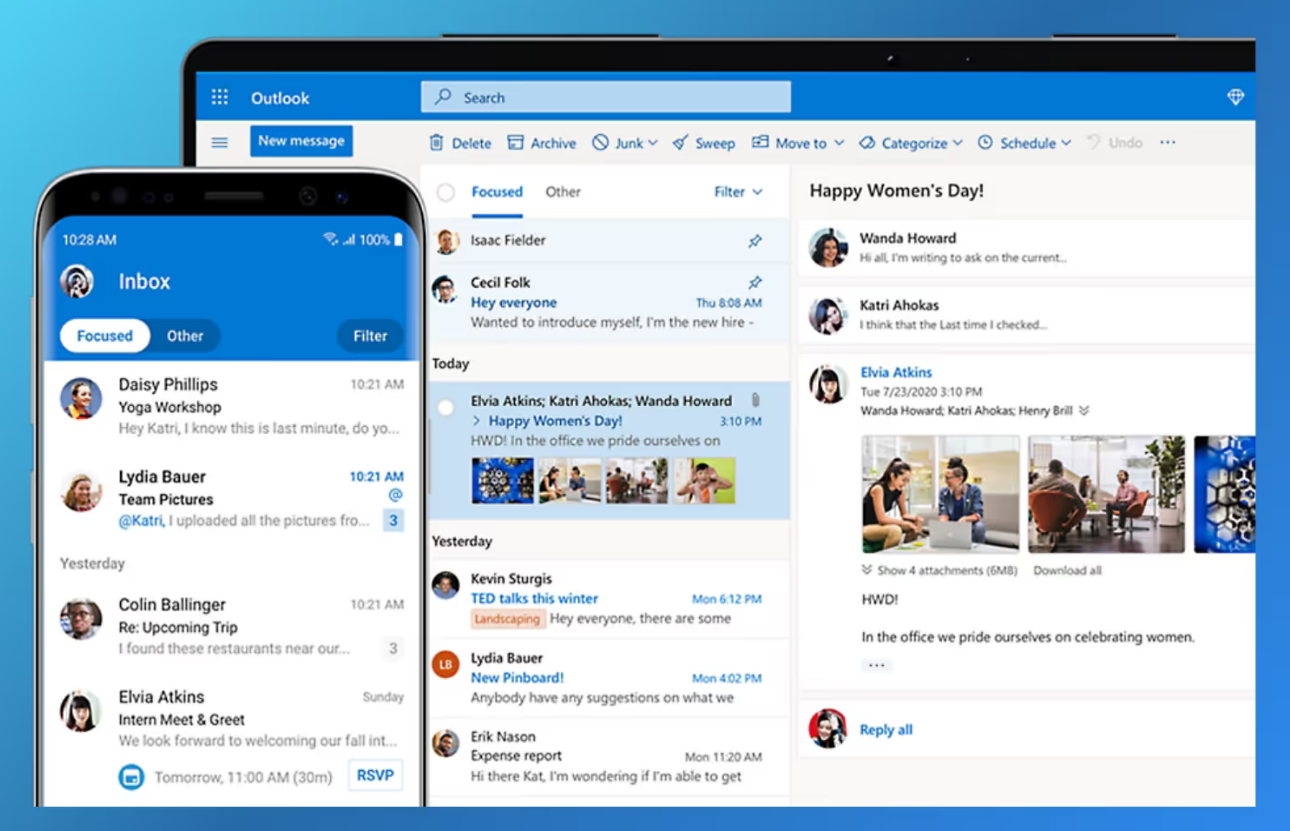
Microsoft Outlook is a popular email client and service by Microsoft that seamlessly integrates with other tools in the Microsoft Office 365 (Microsoft 365) suite. More than just an inbox, Outlook brings together email, calendar, contacts, attachments, and task management in one centralized platform.
If you already rely on Microsoft 365 tools or plan to - Outlook is a strong eM Client alternative to consider. Similar to eM Client, it offers essential productivity features such as a built-in calendar, tasks, contacts, and email organization tools, making it ideal for both personal and professional use.
🛠️ Outlook Features
As one of the most widely used alternatives to eM Client, Outlook supports multiple email accounts and uses a built-in intelligent engine to automatically prioritize important messages based on your communication habits. Additional features include:
- Email scheduling
- Do Not Disturb mode
- Focused Inbox for prioritizing important emails
- Quick swipe actions
- Smart folders for better organization
👍🏻 Pros:
- Seamless integration with the Microsoft 365 ecosystem
- Free email and calendar features
- Available on Windows, macOS, web, and mobile devices
- Enterprise-grade security and compliance
👎🏻 Cons:
- The interface may feel less intuitive to some users compared to other email clients
- Search functionality can be inconsistent when locating specific emails
💰 Outlook Pricing
Outlook offers a free version with basic email and calendar features. Microsoft also provides Microsoft 365 subscription plans starting at $6.99 per month, which unlock additional storage, premium features. Copilot-powered tools are available on select plans.
💬 Outlook Reviews
- Capterra Rating: 4.5/5
- G2 Rating: 4.5/5
5. Missive - Best eM Client Alternative for Team Email Collaboration
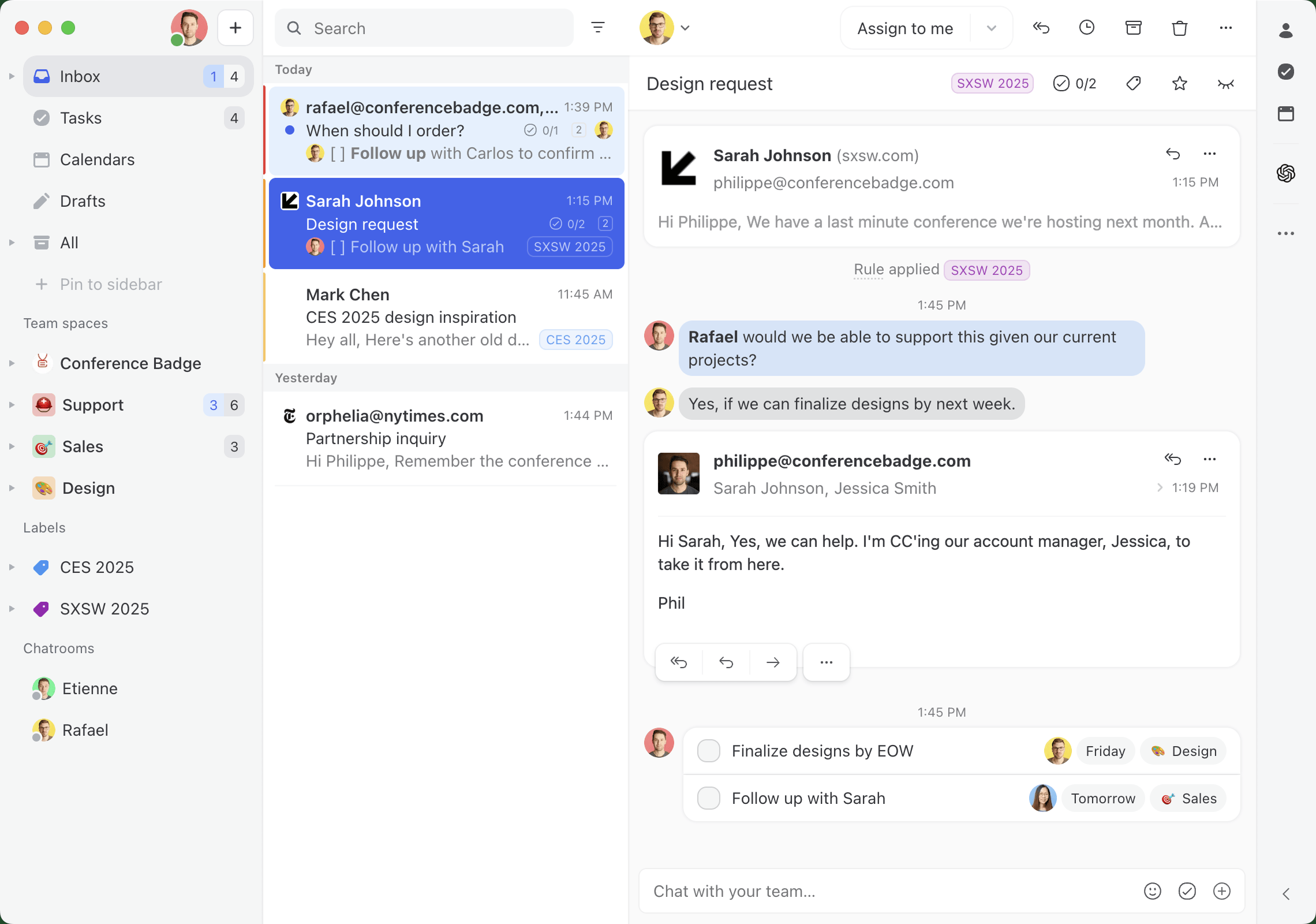
Missive is a collaborative email client built for teams that share inboxes - support, sales, operations, and small agencies all working the same flow of incoming email. Where eM Client is a single-user desktop app focused on personal email, calendars, and tasks, Missive is designed around teammates handling the same conversations together.
The core of Missive is shared inboxes with internal comments, @mentions, conversation assignment, and real-time collaborative drafting. Two people never reply to the same email, and the back-and-forth about how to respond stays out of the customer-facing thread.
It also includes a built-in AI assistant that reads the conversation, searches your connected accounts and calendar, looks up contacts, and drafts replies — powered by your choice of Anthropic Claude, OpenAI, or Google Gemini. Through Model Context Protocol (MCP), the assistant connects to Notion, Linear, Attio, Stripe, HubSpot, or your own server, so it can pull a customer's billing status or a project note before writing the reply. It only drafts; it never sends on its own.
Beyond email, Missive also handles SMS, WhatsApp, Instagram, and live chat for teams that field messages across channels. It runs on Mac, Windows, Linux, web, iOS, and Android.
🛠️ Missive Features
- Shared inboxes with team and personal accounts in one place
- Internal comments and @mentions on any email thread
- Conversation assignment so every message has a clear owner
- Real-time collaborative drafting (see when a teammate is typing)
- Built-in AI assistant for drafting, search, and contact lookup (Claude, OpenAI, or Gemini)
- MCP integrations: Notion, Linear, Attio, Stripe, HubSpot, and custom servers
- Rules and automations for routing, labeling, and escalation
- Canned responses, snooze, and follow-up reminders
- Multichannel support across email, SMS, WhatsApp, Instagram, and live chat
👍🏻 Pros:
- Built for teams: shared visibility and assignment prevent duplicate replies and missed messages
- AI assistant works with your choice of provider and connects to outside tools via MCP
- Internal comments keep coordination off the customer-facing thread
- Works across Mac, Windows, Linux, web, and mobile
👎🏻 Cons:
- Priced per user for teams, so it costs more than free or one-time-purchase desktop clients
- Integrations, rules, automations, API, and AI require the Productive plan
- Most of its value comes from team use; solo users won't tap the collaboration features
- The conversation-based layout takes some adjusting if you're coming from a traditional inbox
💰 Missive Pricing
Missive offers a 30-day free trial with no credit card required. Paid plans are billed per user: Starter at $14/user/month, Productive at $24/user/month, and Business at $36/user/month (billed yearly). The Productive plan unlocks integrations, rules, automations, API access, and the AI assistant.
💬 Missive Reviews
- Capterra Rating: 4.9 / 5
- G2 Rating: 4.7 / 5
6. GNOME Evolution - Best for Unix-Like Operating Systems
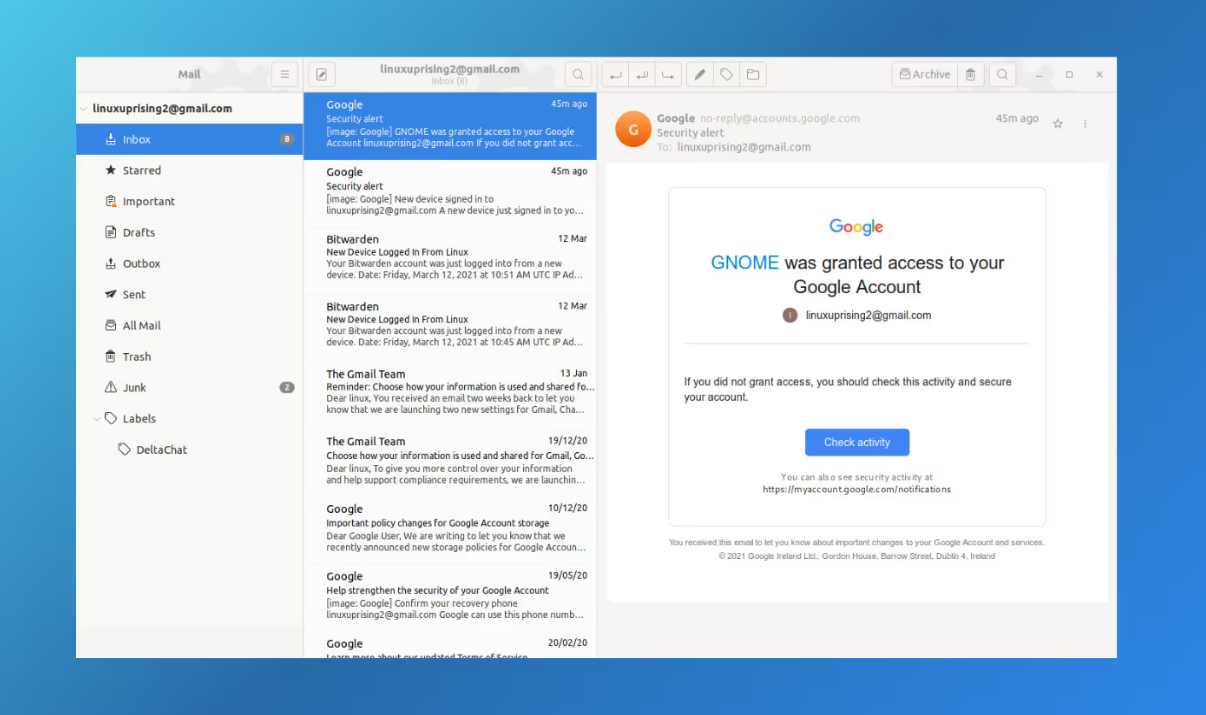
GNOME Evolution Mail & Calendar is a comprehensive personal information management (PIM) tool built for the GNOME desktop environment. It’s often considered a practical option among eM Client alternatives for users on Linux and other Unix-like operating systems.
The app combines email, calendar, contact management, and task tracking into a single interface, giving users a unified platform to manage their communication and daily schedules more efficiently.
If this is your first time hearing about it, GNOME - short for GNU Network Object Model Environment - is a free and open-source desktop environment designed for Linux and similar Unix-based systems, where Evolution fits in seamlessly.
🛠️ Evolution Features
GNOME Evolution is a relatively minimal email client that focuses on essential email and calendar functionality. Its core features include:
- Email sorting
- Advanced email search
- Keyboard shortcuts
- Offline mode
- Junk and spam filtering
- Undeleting messages
- Spell checking
- Overriding the “From” field
- Basic calendar management
- Basic contact management
👍🏻 Pros:
- Reliable and minimalistic interface
- Useful tools for email organization and management
- Integrated calendars, contacts, and tasks
- Supports Gmail and Microsoft Exchange without additional add-ons
👎🏻 Cons:
- Can feel slow at times
- Outdated UX/UI compared to modern email clients
- Very basic in terms of advanced functionality
💰 Evolution Pricing
GNOME Evolution Mail & Calendar is completely free to download and use on Unix-like operating systems.
💬 Evolution Reviews
- Capterra Rating: N/A
- G2 Rating: N/A
[cta-block:ctablock4,title="Looking for a smarter eM Client alternative?",button1="See AI Email Features",button1link="https://canarymail.io/features/ai",button2="Try Canary Mail",button2link="https://canarymail.io/downloads"]
7. Spark - Best eM Client Alternative for Inbox Zero
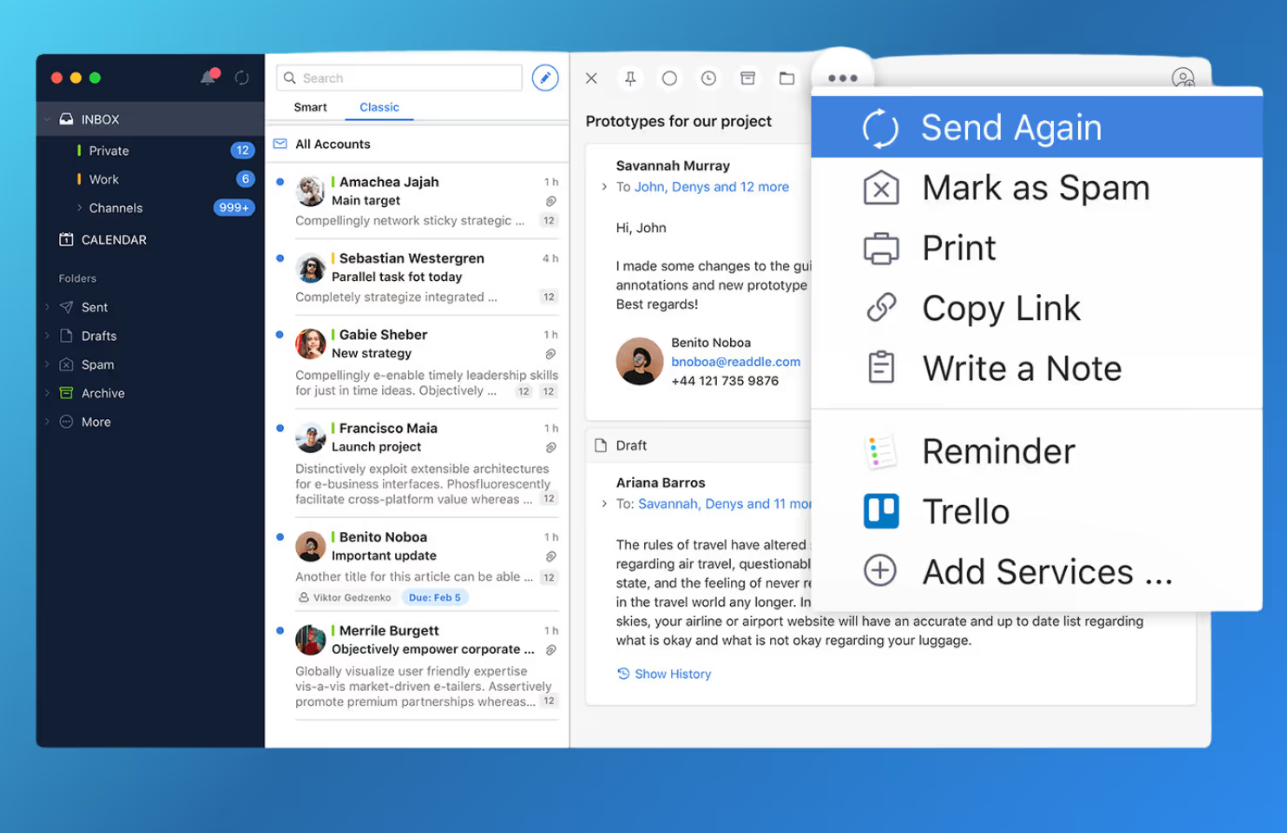
Spark is a collaborative email app designed to help users streamline their inbox and achieve the popular “Inbox Zero” approach. As one of the best alternatives to eM Client, Spark allows you to organize emails by priority, set reminders, and collaborate with others directly within email threads.
Like eM Client, Spark is built for both individuals and teams. While both tools focus on email productivity, Spark places a stronger emphasis on decluttering inboxes and improving team‑based email collaboration, making it a solid email productivity tool for shared workflows.
🛠️ Spark Features
Spark’s standout feature is its smart inbox, which automatically categorizes incoming emails into personal messages, newsletters, and notifications. In addition, Spark offers several tools for efficient email management, including:
- Smart inbox for automatic email prioritization
- AI‑powered email assistant
- Unified inbox for multiple email accounts
- Smart search
- Smart filtering and categorization
- Group emails by sender
- Done marker for completed emails
- Mute threads
- Email snoozing
- Follow‑up reminders
- Read receipts (available on paid team plans)
👍🏻 Pros
- Easy‑to‑use and intuitive interface
- Useful features for email organization and inbox management
- Integrates with task management tools like Asana and Slack
- Collaboration features such as shared drafts and comments for teams
👎🏻 Cons
- Can be slow to load at times
- Navigation may feel confusing for some users
- May not be ideal for users who only need a simple, individual email client
💰 Spark Pricing
Spark is free for personal use with limited features. Paid plans (such as Spark Pro and Teams) are available, with individual plans starting around $8.25 per user per month when billed annually.
💬 Spark Reviews
- Capterra Rating: 4.6/5
- G2 Rating: 4.5/5
8. Mailspring - Best Lightweight eM Client Alternative
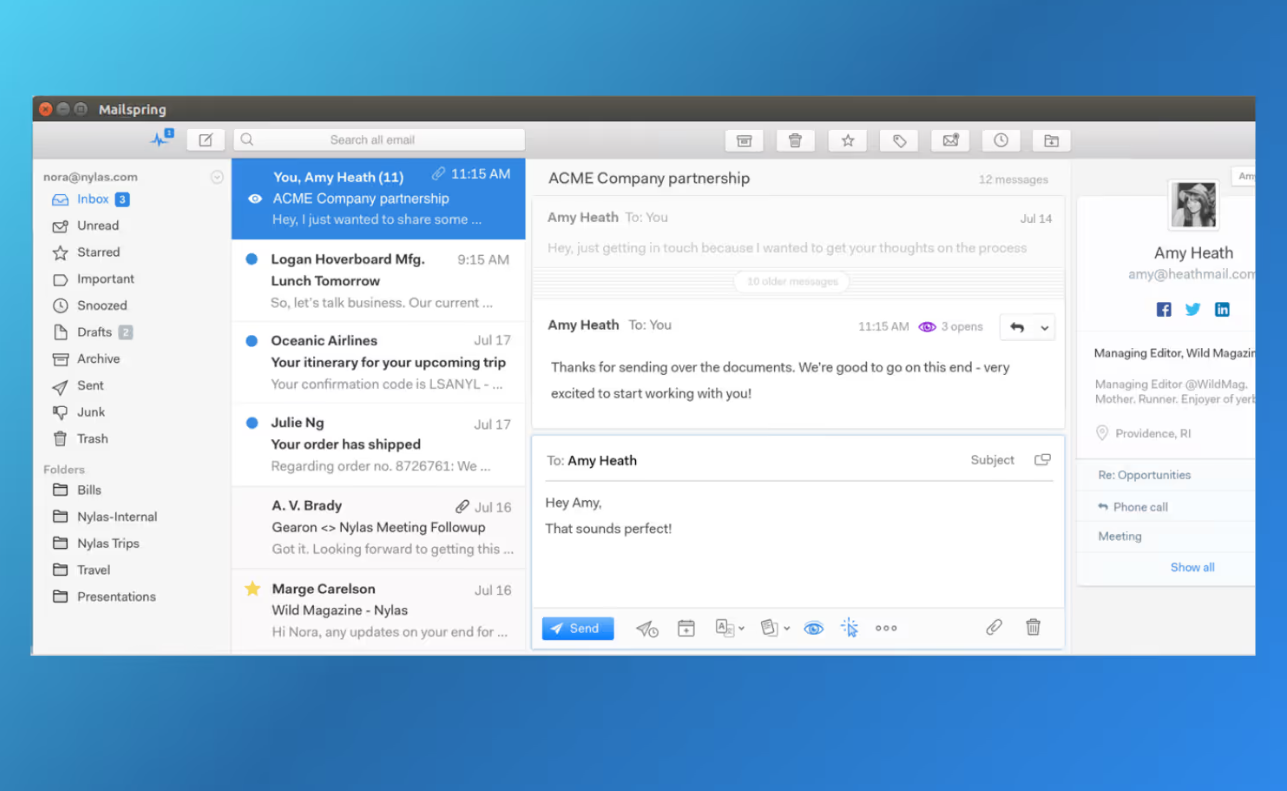
Mailspring is a free desktop email client that supports all major IMAP providers, including Gmail, Microsoft Outlook, and Yahoo Mail. Known for its clean and modern interface, Mailspring offers several productivity-focused features - such as email tracking and email scheduling - making it a strong eM Client alternative for users who want a lightweight yet powerful email client for Windows and macOS.
Like eM Client, Mailspring helps users manage multiple email accounts efficiently through a unified inbox. Its fast performance and intuitive design make it a popular choice among users searching for a reliable desktop email client for Windows, macOS, and Linux. It’s especially useful for individuals and small teams looking for a simple but effective email app to stay organized.
🛠️ Mailspring Features
Mailspring includes a variety of features designed to improve email productivity and organization, including:
- A unified inbox to manage multiple email accounts
- Touch and gesture support
- Advanced keyboard shortcuts
- Lightning-fast email search
- Undo Send
- Support for macOS, Windows, and Linux
- Multiple themes and layouts, including dark mode
- Built-in productivity tools and extensions
👍🏻 Pros:
- Supports a wide range of email providers
- Clean, modern interface with customizable themes
- Productivity features like snoozing, scheduling, and email tracking
- Read receipts available in the Pro version
👎🏻 Cons:
- Some advanced features are limited to the paid version
- No mobile email app available
💰 Mailspring Pricing
Mailspring is free to download and use, making it a good option for users looking for a free email client. A Pro version is available, starting at around $8 per month.
💬 Mailspring Reviews
- Capterra Rating: 5/5
- G2 Rating: 3.8/5
9. Zoho Mail - Best eM Client Alternative for Zoho Workplace Users
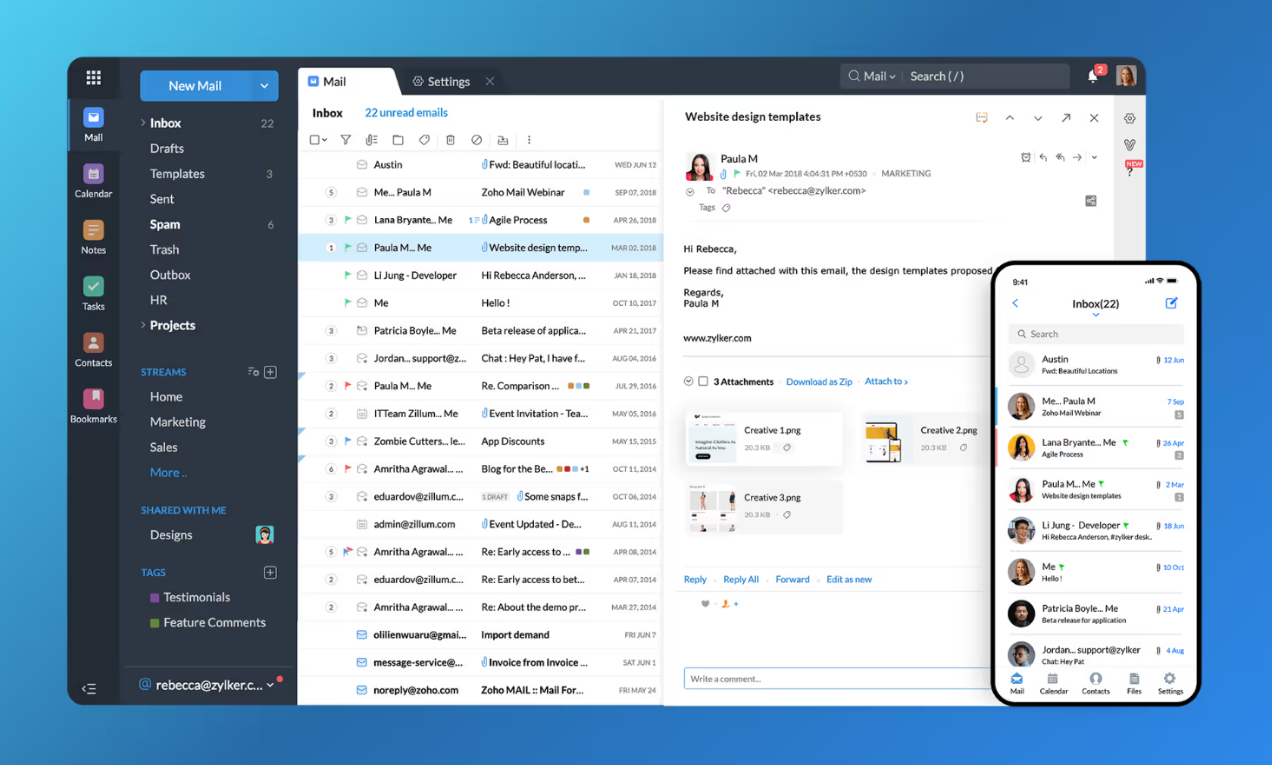
As part of the Zoho Workplace suite, Zoho Mail is a secure and business-focused email service designed to integrate seamlessly with other Zoho apps. It helps teams streamline email communication alongside tasks, calendars, and collaboration tools, making it a practical choice among eM Client alternatives for businesses already using Zoho.
While Zoho Mail can be used as a standalone email solution on Windows and macOS via its web interface and mobile apps, it delivers the most value to existing Zoho Workplace users. If you’re not part of the Zoho ecosystem, some of its advanced collaboration features may feel limited compared to other desktop email app.
🛠️ Zoho Mail Features
Zoho Mail offers generous storage at a competitive price and includes several productivity and collaboration tools, particularly for teams and small businesses. Key features include:
- A complete email suite with Notes, Calendar, and Tasks
- Custom domain email hosting in one place
- Support for multiple email accounts under a single domain
- Offline email mode
- Mobile email app for on-the-go access
- Email collaboration through Zoho Streams
👍🏻 Pros:
- Easy-to-use and professional email service
- Completely ad-free experience
- Multiple security layers for safe and secure email communication
- Free custom email address plan for small businesses (with limitations)
- 24/7 technical support on paid plans
- Highly cost-efficient pricing plans
👎🏻 Cons:
- Interface may feel less intuitive compared to modern email apps
- Integrates primarily with other Zoho tools
- Limited compatibility with Microsoft 365 and related apps
💰 Zoho Mail Pricing
Zoho Mail offers affordable pricing, starting at €0.90 per user per month (billed annually) for 5GB of storage. Pricing increases based on storage capacity and access to advanced security and collaboration features.
💬 Zoho Mail Reviews
- Capterra Rating: 4.5/5
- G2 Rating: 4.4/5
10. Superhuman - Best eM Client Alternative for Saving Time on Email Management
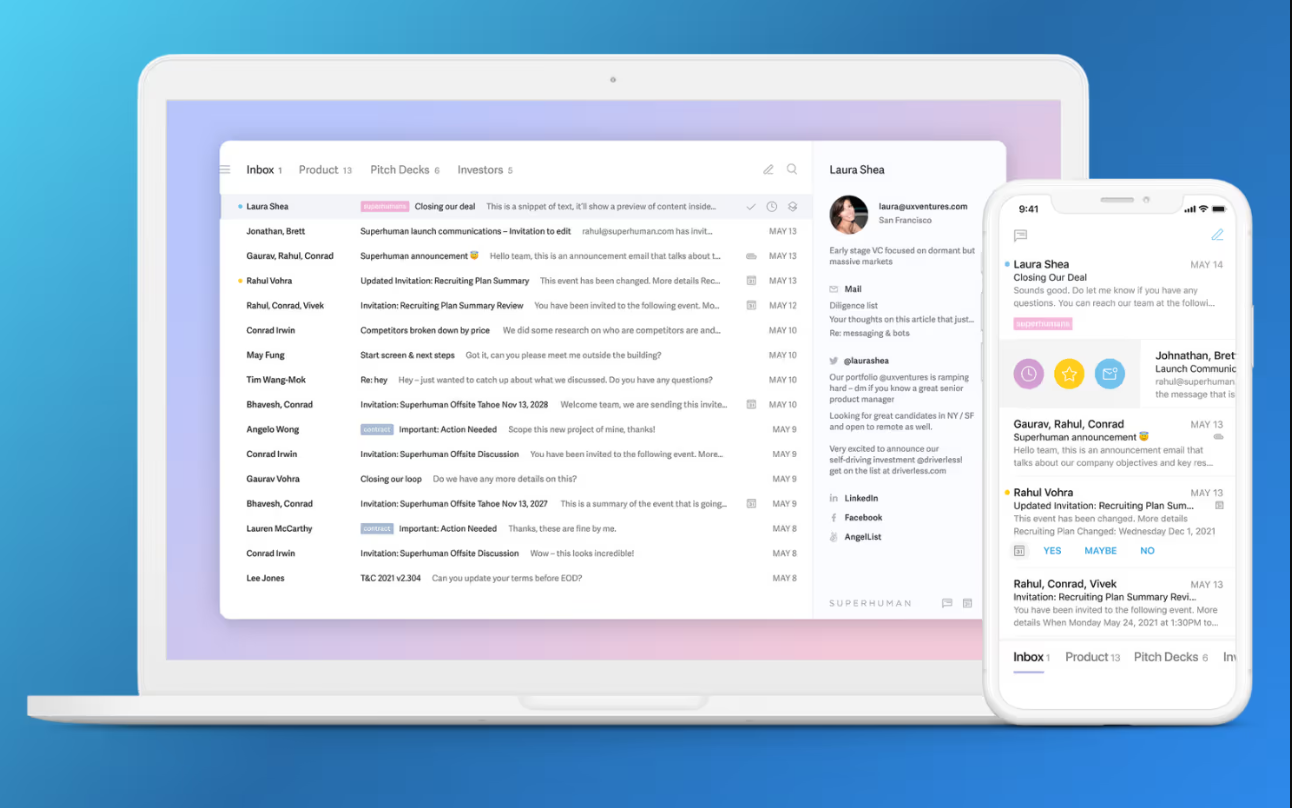
Superhuman is an email client and productivity app founded in 2014 and publicly launched later, designed to help individuals and teams reduce time spent on email management.
Compared to eM Client, Superhuman delivers a more advanced and modern email experience. It features an AI email assistant that helps users write better emails faster, along with powerful keyboard shortcuts that significantly speed up reading, replying, and organizing messages. These productivity-driven features make Superhuman a popular choice among professionals who value time savings.
That said, despite its sleek interface and performance benefits, Superhuman’s starting price of $30 per month may be too expensive for users looking for a free email client or a more budget-friendly eM desktop email app.
🛠️ Superhuman Features
Superhuman is built around speed and productivity and claims to have helped teams save over 10 million hours on email. Key features include:
- AI-powered email assistant for faster writing and replies
- Superhuman Command for advanced keyboard shortcuts
- Split inbox for priority-based email organization
- Automated responses using custom phrases or full email templates
- Follow-up reminders and email snoozing
- One-click unsubscribe
- Read receipts and read status tracking
- Quick quote sections from existing emails
- Instant inbox navigation
- Undo Send and Send Later options
- Integrations with Zoom, Google Meet, and Microsoft Teams
👍🏻 Pros:
- Powerful AI email assistant for productivity
- Advanced keyboard shortcut system
- Collaboration features for teams
- Productivity coaching sessions included
👎🏻 Cons:
- Requires an existing Gmail or Outlook account
- Expensive compared to other eM Client alternatives
💰 Superhuman Pricing
Superhuman offers multiple pricing tiers for individuals, growing teams, and larger organizations. Pricing starts at $30 per user per month, billed monthly.
💬 Superhuman Reviews
- Capterra Rating: 4.8/5
- G2 Rating: 4.7/5
11. Shift - Best for Consolidating Your Workflows
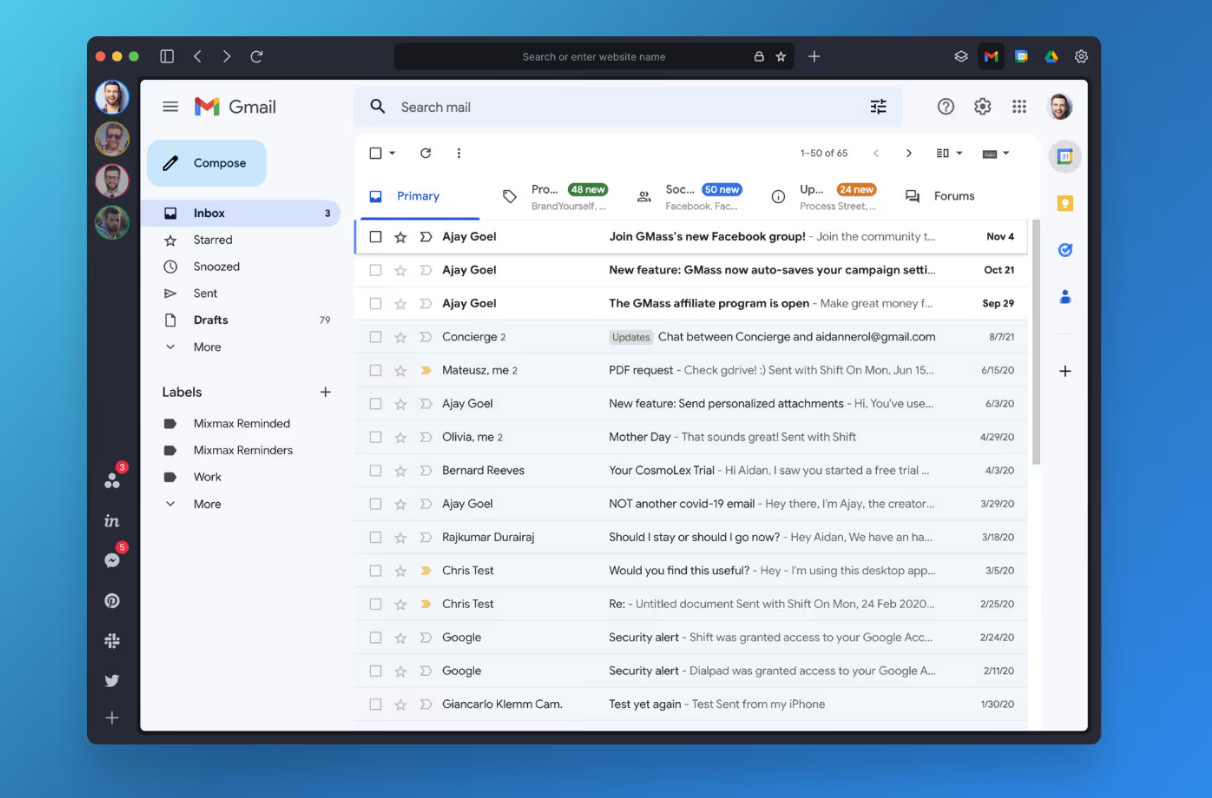
Shift is more than a traditional email client - it’s a productivity-focused desktop browser designed to streamline workflows by consolidating multiple web apps, email accounts, and Chrome extensions into one centralized workspace. Because of this approach, Shift is often considered a unique eM Client alternative for users who rely heavily on web-based tools.
While eM Client focuses primarily on email-centric productivity with built-in calendar and contact management, Shift goes a step further by bringing multiple email accounts, messaging platforms, and web apps together in a single interface. This makes Shift a good option for users looking for an email client that supports broader workflow management rather than just email.
Overall, Shift works best as an all-in-one productivity hub, whereas eM Client is purpose-built for users who want a dedicated, feature-rich email client for Windows and macOS.
🛠️ Shift Features
Shift is designed to centralize everything you normally manage in your web browser - email, apps, and extensions - into one platform. Key features include:
- Connect and manage multiple email accounts
- Access multiple web apps from one dashboard
- Support for multiple Chrome extensions
- Integration with multiple messaging platforms
- Smart tab management for better organization
- Advanced cross-app search functionality
- Quick toggling between apps and accounts
- Custom notifications
- Secure password import
👍🏻 Pros:
- Supports Gmail, Outlook, and Office 365 accounts
- 1,500+ native integrations
- Available for Windows and macOS
👎🏻 Cons:
- Limited personalization options
- Occasional Office 365 synchronization issues
- Some users report occasional stability issues
💰 Shift Pricing
Shift is free to download and use on Windows and macOS. A paid plan is available for advanced features, starting at $149 per year.
💬 Shift Reviews
- Capterra Rating: 4.3/5
- G2 Rating: 4.4/5
Best Alternative to eM Client, a Comparative Table
| Features | Canary Mail | Mailbird | Thunderbird | Microsoft Outlook | GNOME Evolution | Spark | Mailspring | Zoho Mail | Superhuman | Shift |
|---|---|---|---|---|---|---|---|---|---|---|
| Free Version | ✅ | ✅ | ✅ | ✅ | ✅ | ✅ | ✅ | ✅ (limited) | ❌ | ✅ |
| Storage | – | – | – | 15 GB (Free Outlook/OneDrive) | – | 5 GB (Free plan) | – | 5 GB (Free plan) | – | – |
| Pricing | See official page | $49.50 - One-time Standard license | Free | $6.99/month (Microsoft 365 Basic) | Free | $8.25/month (annual Pro plan) | $8/month (Pro plan annual) | €0.90/month (annual) | $30/month | Advanced $149/year |
| AI Features | ✅ | ✅ | ❌ | ✅ (Microsoft 365 / Copilot) | ❌ | ✅ | ❌ | ❌ | ✅ | ❌ |
| Read Receipt | ✅ | ❌ | ❌ | ✅ (Microsoft 365 accounts) | ❌ | ✅ (Pro) (Team visibility only) | ✅ (Pro) | ✅ (Pro) | ✅ (Pro) | ❌ |
| Snooze Option | ✅ | ✅ | ❌ | ✅ | ❌ | ✅ | ✅ | ✅ | ✅ (Pro) | ❌ |
| Biometric App Lock | ✅ | ❌ | ❌ | ❌ | ❌ | ❌ | ❌ | ❌ | ❌ | ❌ |
| Push Notifications for Important Emails | ✅ | ❌ | ❌ | ✅ | ❌ | ✅ | ❌ | ✅ | ✅ | ❌ |
eM Client Competitors: The Bottom Line
eM Client offers solid email management features, but some users find limitations in performance, scalability, or advanced productivity features compared to newer alternatives.
Several strong options cater to different needs:
- Canary Mail is ideal for privacy-conscious users who want AI-powered productivity. It offers smart drafts, AI summaries, prioritized inboxes, and follow-up reminders - all with strict privacy, optional end-to-end/PGP encryption, and seamless macOS and iOS support.
- Microsoft Outlook suits those seeking deep ecosystem integration.
- Lightweight email clients appeal to users who value simplicity, speed, and cross-platform availability.
The best email client depends on your priorities - AI productivity, privacy, Apple support, team collaboration, or cross-platform compatibility. Comparing these options carefully can help streamline your email workflow and boost productivity.
[cta-block:ctablock5,title="Ready to Switch from eM Client?",subtitle="Experience AI-powered email, smart drafts, and a privacy-first inbox with Canary Mail",button1="Try Canary Mail Free",button1link="https://canarymail.io/downloads",button2="Learn More",button2link="https://canarymail.io/pricing"]
eM Client Alternatives: Frequently Asked Questions
Is there a free alternative to eM Client?
Several email clients offer free plans, including Canary Mail, Thunderbird, Spark, Zoho Mail, and Microsoft Outlook. Keep in mind that some advanced features may only be available with paid plans.
Is eM Client free to use?
eM Client does offer a free version for personal use, but it’s limited to two email accounts. To add more accounts and access advanced features, you’ll need to upgrade to a paid plan.
Is eM Client suitable for business use?
Yes, eM Client can work well for business users, especially with its paid plans that support Exchange, encryption, and productivity tools. That said, some businesses prefer alternatives with better team collaboration.
Is eM Client reliable for managing high volumes of email?
eM Client works reliably for many users, but some experience performance issues with large inboxes, such as slower syncing or occasional crashes when handling high email volumes.
What are the best eM Client alternatives for Linux?
For Linux users, Thunderbird and GNOME Evolution are popular alternatives. Both are free, open-source, and include essential email, calendar, and contact features.
How safe is eM Client for email privacy and security?
eM Client is generally secure and supports features like PGP encryption and secure connections. However, users who want stronger privacy controls or end-to-end encryption may prefer more privacy-focused email clients.