Quick Answer: If Canary Mail is crashing on launch on Mac, you need to clear the Canary Mail DB folder. On Windows, clear the app cache folder. Both fixes are covered step by step below.
Before You Start - Important Data Warning
Clearing the Canary Mail DB folder on macOS will remove all local app data. This includes saved templates and signatures.
Before proceeding, back up your data via iCloud to avoid permanent data loss.
This step is important. Do not skip it.
How to Fix Canary Mail Crashes on Mac
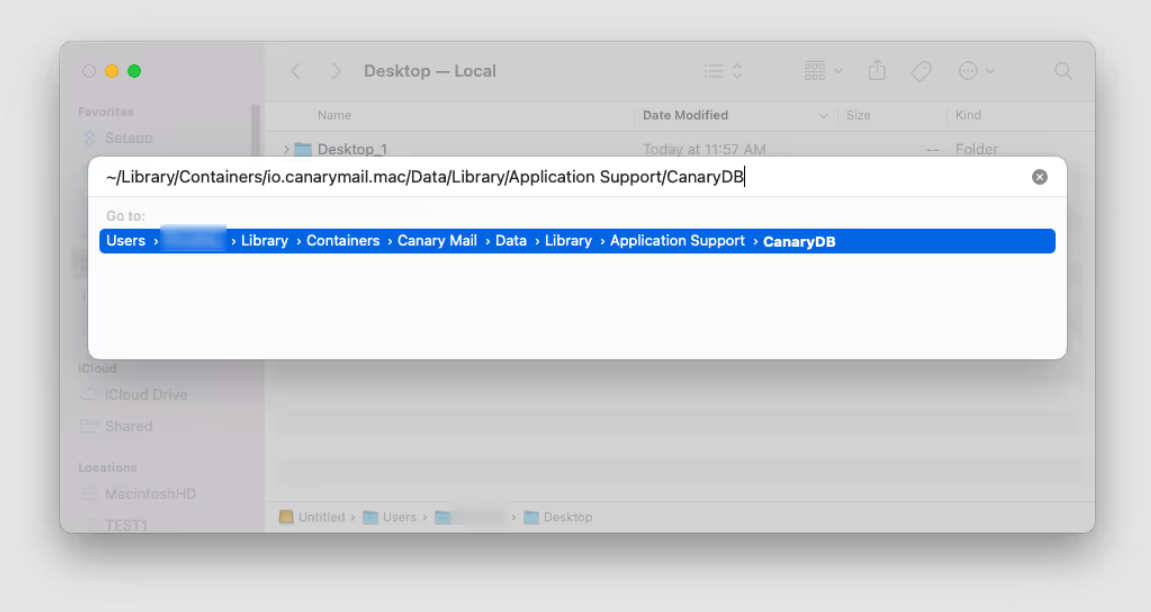
If Canary Mail is crashing on launch on your Mac, follow these steps to clear the Canary Mail DB folder.
- Open Finder.
- Go to the Go menu in the top bar.
- Select Go to Folder...
- Enter the following path and press Return: ~/Library/Containers/io.canarymail.mac/Data/Library/Application Support/CanaryDB
- Delete the contents of the CanaryDB folder.
- Relaunch Canary Mail.
How to Fix Canary Mail Crashes on Windows
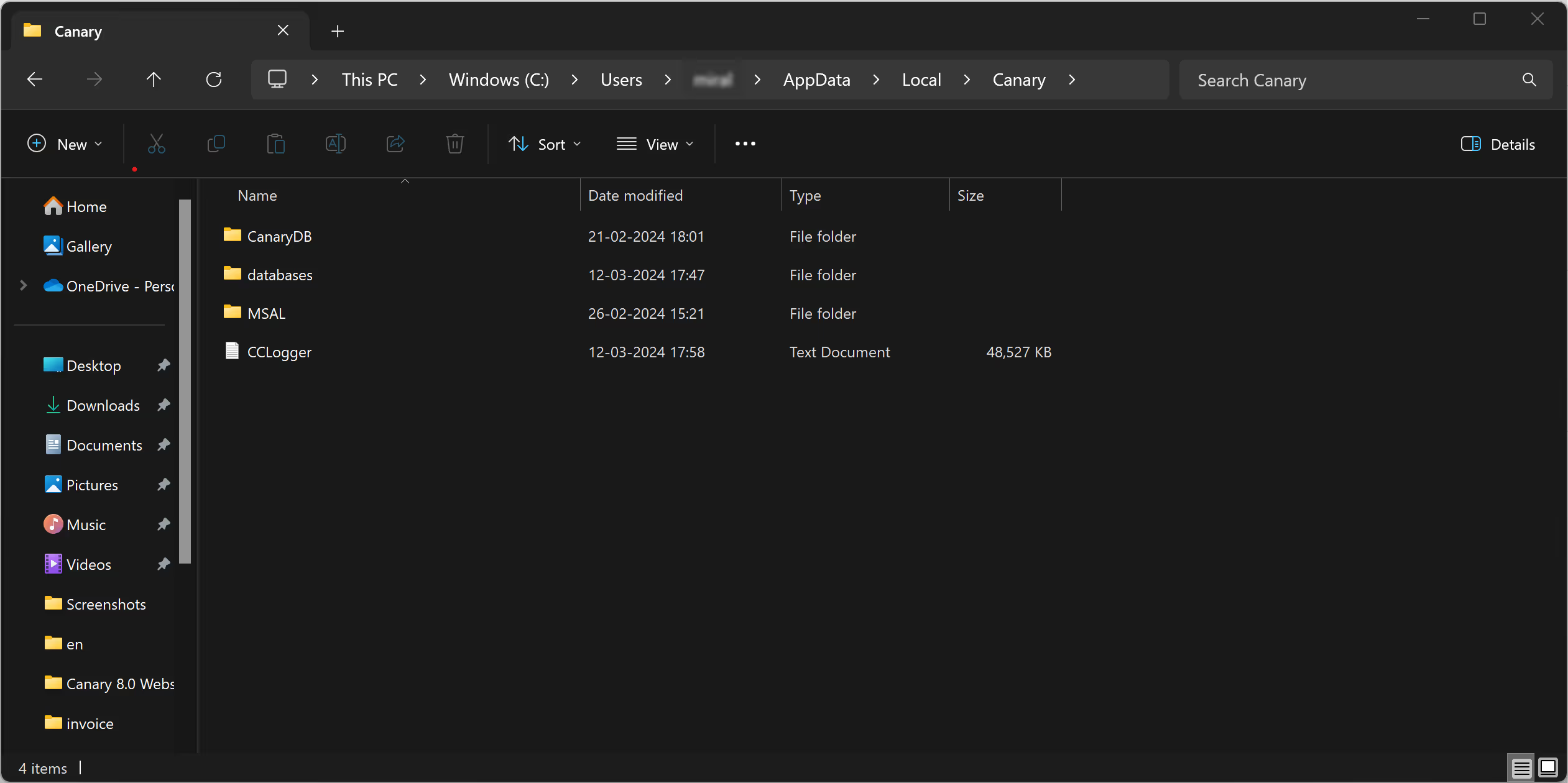
If Canary Mail is crashing on Windows, clearing the local cache usually resolves the issue.
- Open File Explorer.
- Navigate to the following path, replacing <username> with your actual Windows username: C:\Users\<username>\AppData\Local\Packages\CartasecPte.Ltd.CanaryMailApp_1h5es61sgwc0a\LocalCache\Local\Canary
- Delete the contents of the Canary folder.
- Restart Canary Mail.
Still Crashing After Following These Steps?
If Canary Mail continues to crash after clearing the DB or cache, try the following:
- Make sure you are running the latest version of Canary Mail. Download it from the Canary Mail downloads page.
If crashes continue after all of the above, contact the Canary Mail support team directly at hello@canarymail.io. Include your device, OS version, and a description of when the crash happens so the team can assist you faster.
Frequently Asked Questions
Will clearing the DB folder delete my emails?
No. Your emails are stored on your email provider's server, not locally. Clearing the DB folder removes local app data such as saved templates and signatures, but your emails will reload from your email provider's server after you relaunch Canary Mail.
Do I need to back up anything before clearing the DB folder?
Yes. Back up your data via iCloud before proceeding, especially if you have saved templates or signatures you want to keep.
Where can I download the latest version of Canary Mail?
You can always get the latest version from the Canary Mail downloads page.
What to Do Next
If clearing the cache resolved your crash, Canary Mail should now open and run normally.
- For other macOS issues, visit the macOS Help section
- For Windows-specific guides, visit the Windows Help section
- For other common issues, visit the Canary Mail Troubleshooting Help Center
- Need to reinstall? Download the latest version of Canary Mail