No. Apple Mail can't request a read receipt, and it doesn't send one back when someone else asks for one. That's true on Mac, iPhone and iPad, including macOS 27. To get read receipts anyway, you can add a tool to Apple Mail (Mailbutler or iReceiptMail), use an email app with receipts built in such as Canary Mail, or send from Outlook for Mac with a Microsoft 365 or Exchange account or Gmail on the web with a Google Workspace account. Each is covered below, with its limits.
Does Apple Mail support read receipts?
Requesting a receipt
There is no setting for it. Apple's list of Mail composing settings covers message format, spelling, automatic Cc/Bcc, Undo Send delay and reply quoting, but nothing that asks the recipient to confirm they read your message. The compose window has no receipt option either, and the same goes for Mail on iPhone and iPad.
Returning a receipt
Apple Mail also ignores read-receipt requests it receives. If a colleague using Outlook asks for a receipt and you open the message in Apple Mail, you won't see a prompt and no receipt goes back to them. From their side, it looks as if you never opened it.
The old Terminal trick no longer works
Older guides tell you to run defaults write com.apple.mail UserHeaders in Terminal to add a Disposition-Notification-To header to every message. That header asks the recipient's app for a receipt. Even when it worked, it only sent the request; Mail still couldn't show or return receipts.
It stopped working in macOS Mojave (2018), when Apple changed how Mail handles custom headers, and people on Apple's forums still report it failing on recent versions. Don't rely on it. If you set it up years ago and want to remove it, run defaults delete com.apple.mail UserHeaders in Terminal and restart Mail.
Two kinds of read receipt
"Read receipt" can mean two different things, and they behave very differently:
- Requested receipts (MDN). Your email app adds a request to the message. When the recipient opens it, their app asks whether to send a receipt, or sends one automatically if their organization is set up that way. It's open and consent-based, but it only works if the recipient's app supports it, and they can say no. Outlook, Gmail for Workspace and iReceiptMail use this.
- Tracking pixels. The app embeds a tiny invisible image. When the recipient's mail app loads it, the tracking server logs an "open". The recipient isn't asked. Canary Mail, Mailbutler, Spark, Mailspring and the iPhone tracking apps use this.
For a broader explanation of both, see our guide to how email read receipts work.
Why tracking-based receipts are unreliable
Pixel tracking breaks down when the recipient uses Apple Mail. With Mail Privacy Protection turned on, Apple Mail downloads remote content, including tracking pixels, in the background as soon as a message arrives, through Apple's relays. It doesn't block the pixel; it loads it before anyone has looked at the email.
So a tracker reports an "open" seconds after delivery, often with an Apple proxy location and no real device information, whether or not the person ever read your message. Many people use Apple Mail on iPhone, so a large share of "opens" you see may never have happened. The opposite also happens: if the recipient blocks remote images, a real read never registers.
Requested receipts have their own gaps: the recipient can decline, many personal email apps ignore the request, and Google notes that getting a receipt doesn't always mean the message was actually read. Treat any receipt as a hint. A reply or a click on a link in your email is much stronger evidence.
Keep Apple Mail and add a tool
If you want to keep Apple Mail, you need something that works alongside it. Old-style Mail plug-ins stopped working in macOS 14 Sonoma, when Apple allowed only Mail extensions built on its MailKit framework, so tools that used to hook into Mail directly had to be rebuilt or disappeared. These two still work:
1. Mailbutler: Tracking without leaving Apple Mail
Mailbutler is an Apple Mail extension with its own sidebar that adds tracking, templates, snooze and send later. It's also available for Gmail and Outlook. Since Sonoma, it works through a local "Mail Bridge": a small SMTP relay on your Mac that inserts the tracking pixel into outgoing messages before passing them to your real mail server. The tracking checkmarks now appear in the Mailbutler sidebar next to the message rather than in Mail's message list.
It tracks opens and link clicks, and for messages sent to several people it can track each recipient separately. Mailbutler says tracking still works with Mail Privacy Protection, but location and device details may be missing, and like any pixel tracker it can't reliably tell a real open from Apple's background download.
Price: the free Starter plan includes basic tracking (first open and first click) but adds Mailbutler branding to your emails. Paid plans start at $7 per user per month billed annually ($9 monthly), with a 14-day trial.
2. iReceiptMail: Real read receipts in Apple Mail
iReceiptMail is a separate helper app that works alongside Mail to add real (MDN) read receipts in both directions: it requests receipts on messages you send and returns receipts when someone asks you for one. Because it uses the standard request, you only get a receipt back if the recipient uses iReceiptMail or an app that supports receipts, such as Outlook or Thunderbird, and agrees to send it.
Its website lists support up to macOS 26 Tahoe; macOS 27 isn't listed yet, so try it before you pay. Installation on recent macOS versions takes a few extra steps, which the developer's site explains.
Price: a paid licence after a 7-day free trial.
Use a different app or account
The other route is to send from an app that has receipts built in. Which one fits depends mostly on the email account you use. If you're thinking about leaving Apple Mail altogether, our guide to Apple Mail alternatives compares the options.
3. Canary Mail: Built-in read receipts on Mac and iPhone
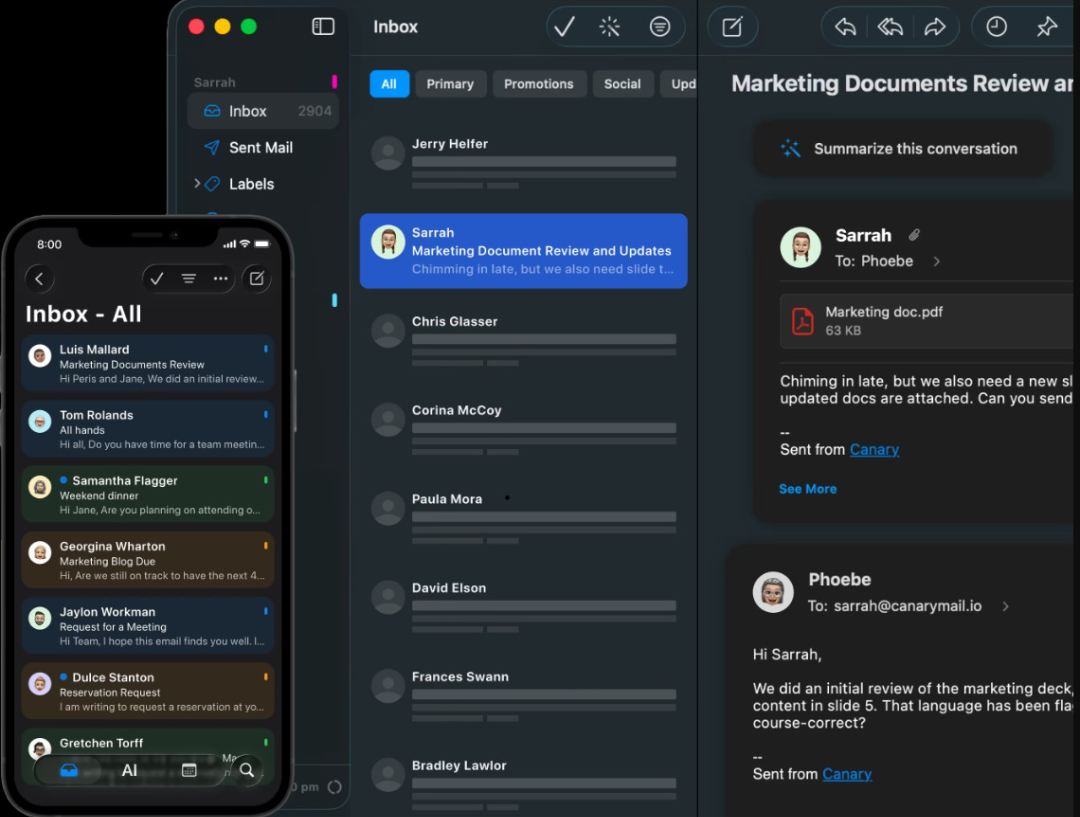
Disclosure: Canary Mail is our product.
This means switching from Apple Mail, or adding a second app next to it. Canary Mail is an email app for Mac and iPhone that works with Gmail, iCloud, Outlook, Exchange and IMAP accounts, so it works with the addresses you already have. Read receipts are tracking-based and on by default. Click the receipt icon next to a sent message, or open Read Activity, to see if and when it was opened. According to Canary's help guide, you can switch them off under Settings > General on both Mac and iPhone.
Like every pixel-based tool, Canary can't tell a real open from Mail Privacy Protection's background download when the recipient uses Apple Mail. Price: the free plan includes Read Receipts Lite; full read receipts come with Growth ($36/year) and Pro+ ($100/year).
4. Outlook for Mac: Real receipt requests for Microsoft 365 and Exchange
Outlook for Mac is the only mainstream Mac app that sends a proper receipt request, but only from a Microsoft 365 work or school account or an Exchange account managed by your organization. It doesn't work with Outlook.com, Gmail, Yahoo, iCloud or other IMAP/POP accounts added to Outlook.
In the new Outlook for Mac:
- Start a new message.
- Select Receipts > Read Receipt. You can pick Delivery Receipt there too.
- Write and send the message.
In legacy Outlook, the option is under Options > Request Receipts > Request a Read Receipt. Microsoft says support for legacy Outlook for Mac ends in October 2026, so switch to the new Outlook if you haven't. Outlook is free to download; you need the Microsoft 365 or Exchange account it works with.
5. Gmail on the web: Google Workspace accounts only
Gmail can request read receipts only for work or school accounts, not personal @gmail.com addresses, and your Workspace administrator has to turn the feature on. When it's enabled, compose a message on the web, click More options (the three dots at the bottom right) and choose Request read receipt. Receipts don't come back from mailing lists or from recipients whose admin restricts receipts to internal mail. We cover the details and the workarounds for personal accounts in how to tell if someone read your Gmail.
Also worth knowing
If you're open to switching apps entirely, Spark offers read statuses on its Pro plan, and Mailspring Pro includes read receipts. Both are pixel-based. Our roundup of the best email clients for Mac compares them in more detail.
Read receipt options compared
| Option | Works with | Type | Platforms | Price |
|---|---|---|---|---|
| Mailbutler | Any account in Apple Mail | Tracking pixel | Apple Mail on Mac; Gmail, Outlook | Free Starter (branded); from $7/user/mo annually |
| iReceiptMail | Any account in Apple Mail | Requested receipt (sends and returns) | Apple Mail on Mac | 7-day trial, then paid licence |
| Canary Mail (ours) | Gmail, iCloud, Outlook, Exchange, IMAP | Tracking pixel | Mac, iPhone, iPad | Lite free; full from $36/year |
| Outlook for Mac | Microsoft 365 work/school and Exchange only | Requested receipt | Mac (also Windows, iPhone) | Free app; needs Microsoft 365/Exchange |
| Gmail on the web | Google Workspace, if the admin enables it | Requested receipt | Any browser | Included with Workspace |
| Mail Tracer / iTrackMail | Any account in Mail on iPhone | Tracking pixel | iPhone, iPad | Free tiers; Pro subscriptions |
Read receipts on iPhone and iPad
Mail on iPhone and iPad has no read receipts either. If you want to keep using it, two tracking apps work alongside it:
- Mail Tracer adds a tracking signature to emails you send from Mail. The free version includes unlimited tracking with Mail Tracer branding; Pro subscriptions or a $29.99 lifetime purchase remove it and add details.
- iTrackMail works on iPhone and iPad and sends a push notification when a tracked email is opened. It has a free tier; iTrackMail Pro costs $14.99 a year.
Both rely on tracking pixels, so the Mail Privacy Protection caveat above applies. Canary Mail's iPhone app has the same built-in read receipts as the Mac version.
How to stop senders tracking you in Apple Mail
If you're on the receiving end and don't want senders to know when you open their emails, Apple Mail already protects you:
- On a Mac, open Mail and choose Mail > Settings > Privacy. On iPhone, go to Settings > Apps > Mail > Privacy Protection.
- Turn on Protect Mail Activity. Your IP address is hidden, and remote content loads privately in the background for every message, so opens can't be linked to when you actually read something.
- If you prefer to leave it off, you can instead turn on Hide IP Address and Block All Remote Content. Pixels then don't load at all until you choose to load images in a message.
If you want to see which emails carry trackers, MailTrackerBlocker for Mail is a Mail extension that blocks tracking pixels and labels messages that contain them ($6.99 on the Mac App Store, macOS 14.3 or later). Apple Mail doesn't send requested receipts, so you don't need to do anything to stop those.
Better ways to know your email was read
If you need to be sure, ask for it. A line like "Could you reply to confirm you got this?" works with any app and any recipient. For important messages, a link to a shared document or form shows real engagement when it's opened or clicked. And a follow-up reminder a few days later catches the emails that were read but forgotten. Read receipts, requested or tracked, are best used as a nudge for timing your follow-up, not as proof.
[cta-block:ctablock1,title="Read receipts on Mac and iPhone, built in",button="Download Canary Mail",buttonlink="https://canarymail.io/downloads"]
FAQs
How do I turn on read receipts on a MacBook Air or MacBook Pro?
There's nothing to turn on in Apple Mail; it has no read-receipt setting on any Mac. Use one of the options above instead. If you're thinking of the "Read" status in Messages, that's iMessage, not email: open Messages, choose Messages > Settings > iMessage and tick Send read receipts (see Apple's Messages guide).
Can I get read receipts with a personal Gmail, iCloud or Outlook.com account?
Not requested receipts. Gmail only supports them for Workspace accounts, Outlook for Mac only for Microsoft 365 work/school and Exchange, and iCloud Mail has none. With a personal account, your options are tracking-based apps like Canary Mail or Mailbutler, or iReceiptMail, which sends a standard request that only some recipients' apps answer.
Will the recipient know I asked for a read receipt?
With a requested receipt, usually yes: their app shows a prompt asking whether to send it, unless their organization sends receipts automatically. With tracking-pixel tools, the recipient isn't asked, although privacy tools and some email apps flag or block known trackers.
Why didn't I get a read receipt when I asked for one?
The recipient may have declined, their app may not support receipts (Apple Mail doesn't), their administrator may block external receipts, or you sent to a mailing list. Not getting a receipt doesn't mean the email wasn't read.
What's the difference between a read receipt and a delivery receipt?
A delivery receipt confirms the recipient's mail server accepted your message. A read receipt says the recipient opened it, if their app sends one. Outlook for Mac can request both for Microsoft 365 and Exchange accounts; Apple Mail can request neither.
Is it OK to track whether people open my emails?
It depends on who you're emailing and where. For marketing email, privacy regulators in the EU and UK treat tracking pixels much like cookies, so check the rules that apply to you. For one-to-one work email, be open about it if you track, and don't use it where someone has asked not to be tracked.